How to Use Map View to Find Cheap Flights

By Trip.com
February 10, 2026

When searching for cheap flights, it’s often hard to picture where your budget can actually take you. That’s where Trip.com’s Map View comes in. By showing flight prices visually, it lets you explore destinations at a glance, compare fares easily and uncover great-value trips you might otherwise overlook.
What Is Trip.com Map View

Trip.com App UI
Trip.com Map View is a feature that displays flight prices on an interactive world map.
You can see multiple destinations and their fares simultaneously, making it ideal for travellers who want the cheapest option, not just a fixed route.
It’s especially useful if you’re open to different destinations or planning a spontaneous trip.
How to Use the Map View on Trip.com
The great thing about map view is that it can be used in multiple ways.
For those with an idea in mind regarding where they are flying to and what dates, you can simply input the departing and arriving cities along with the dates of travel and you’ll be presented with a list of possible flight times that will likely range in price and availability. In many ways, this is quite like the search bar function.
However, we think the map view gains a life of its own when looking for travel inspiration. Due to the way it clearly shows both distance and price, the interactive map is a great way of exploring what’s on offer. Set your starting location and instantly see estimates of how much it’ll cost to get to various locations across the globe.
Step 1: Open the Trip.com website or app
- Select 'Flights'
- For those using the app, you’ll want to head over to the 'Flights' tab.
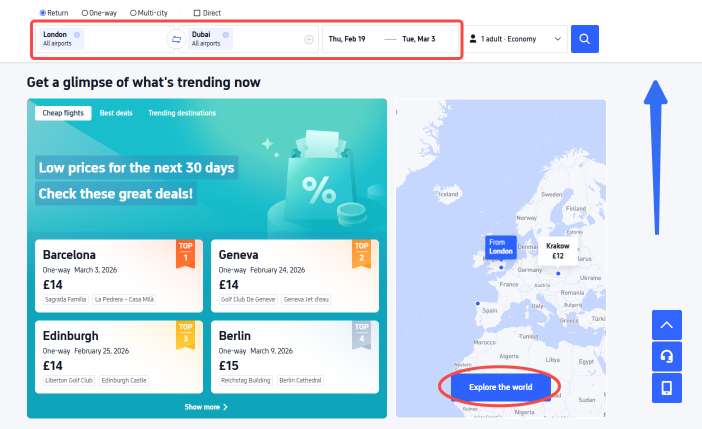
- From there, scroll down to 'Travel Inspiration' and click on the arrow next to the title 'Explore the World'.
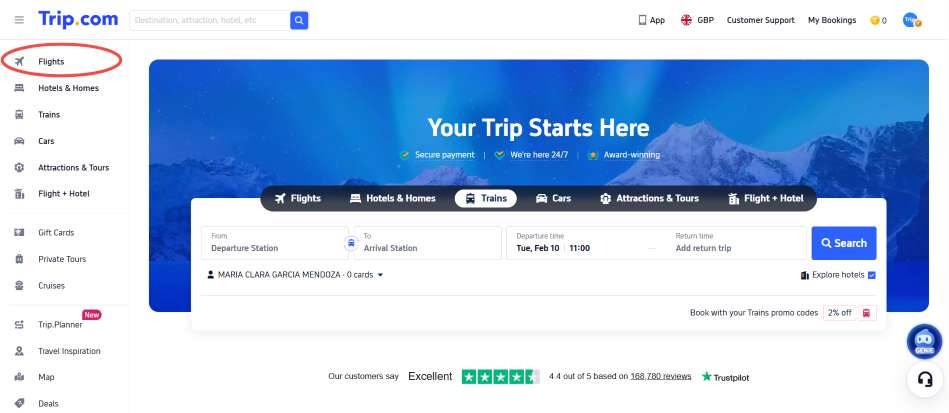

Step 2: Enter your departure city
- Choose your travel dates (or stay flexible)

Step 3: Switch to 'Map View'
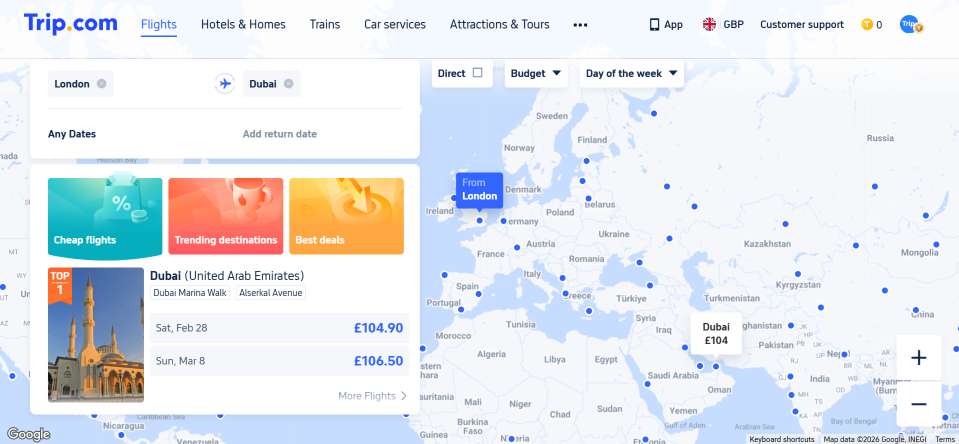
These categories include:
- Budget-friendly flights: A collection of the most affordable flights across the globe
- Trending flights: The hottest routes right now that you won't want to miss
- Best deals: An extensive list of the deals, ordered from the highest savings onwards.
Be sure you don't miss these great travel opportunities whilst they're still available.
How to Find Cheap Flights Using Map View

Holiday Deal Poster
🌍 Compare Destinations Instantly
Instead of guessing where to go, Map View shows prices across regions and countries, helping you discover unexpectedly affordable destinations.
📅 Use Flexible Dates
Changing your travel dates within Map View can reveal big price differences. Midweek departures and off-peak days often show noticeably lower fares.
🔍 Zoom and Filter
Zoom in on specific regions or apply filters such as airlines, flight duration, or price range to narrow down the best-value options.
🔔 Pair with Price Alerts
Once you spot a route you like, set up price alerts so you’ll be notified when fares drop further.
Cheap flights to popular destinations


When Map View Works Best

Trip.com Map View
- When you're flexible about your destination
- Planning trips during the off-peak or shoulder seasons
- Searching for budget-friendly getaways
- Looking for last-minute or spontaneous travel deals
🔥Trip.com Promo Codes!
Make the most of UK bank holidays and long weekends with great-value flights from the UK. Fly to popular destinations like Turkey, Spain, Thailand and more at unbeatable prices.
✈️ Book flights and enjoy extra perks:
- Earn double rewards (Trip Coins + airline miles)
- Unlock Flyer Exclusive hotel rates after booking your flight
- Travel with confidence thanks to our 24/7 Customer Support
Your next long weekend escape starts here.
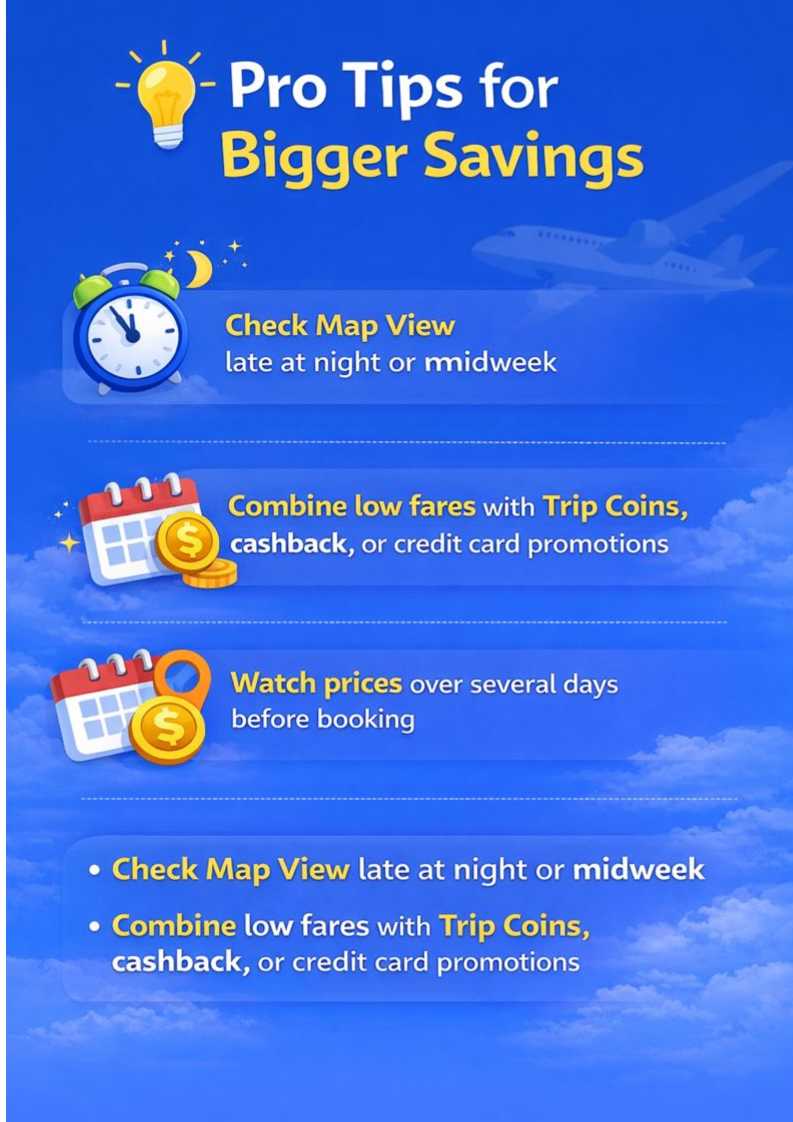
Pro Tips for Bigger Savings
Final Thoughts
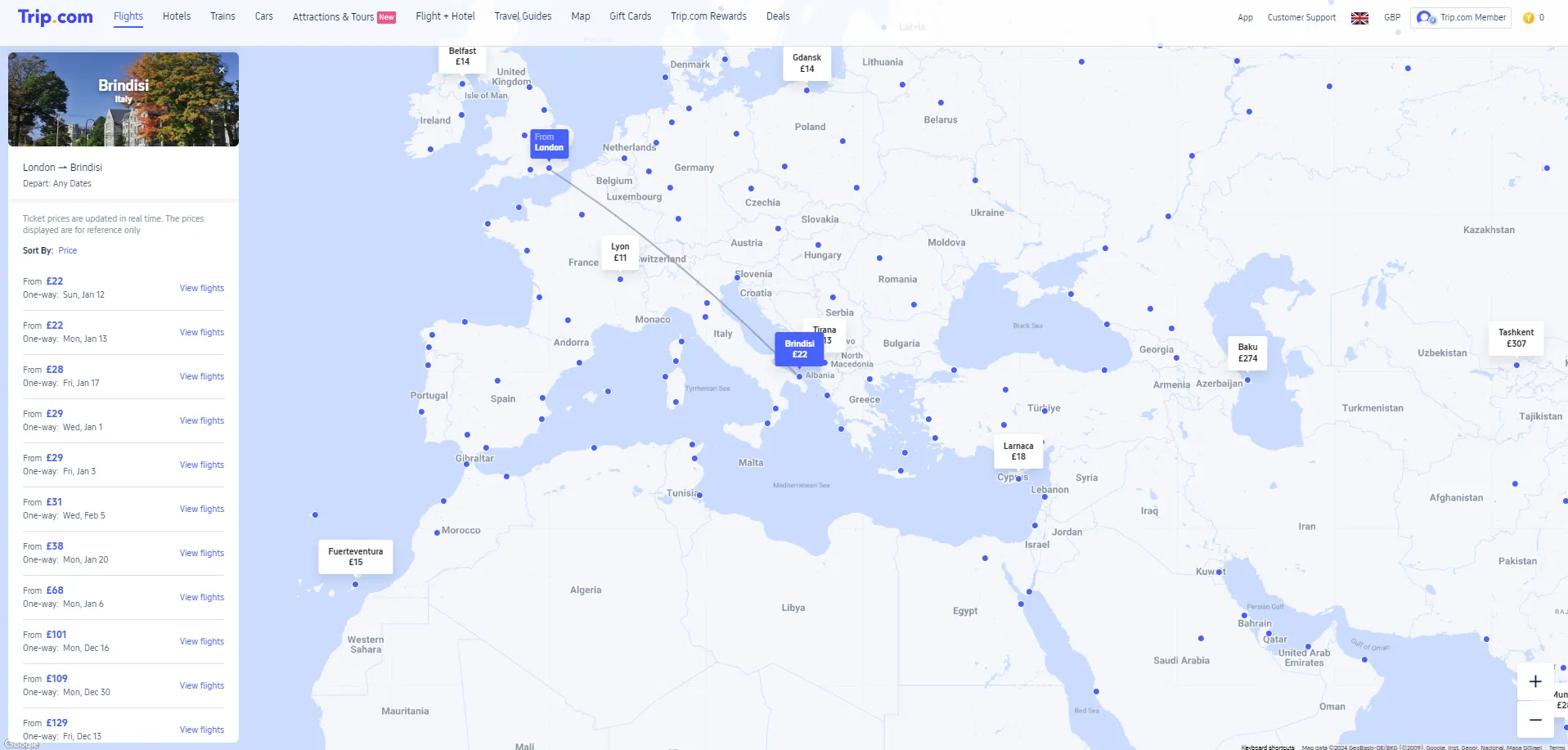
Trip.com’s Map View turns searching for flights into a visual experience, making it easier to spot low fares and travel smarter.
If you’re chasing the best deals and open to new destinations, this tool can help you stretch your travel budget and uncover hidden gems around the world.
FAQ – Trip.com Map View
-
What is Trip.com Map View?
-
How do I use Map View on Trip.com?
-
Can Map View help me find cheaper flights?
-
Can I check flexible dates in Map View?
-
Is Trip.com Map View available on mobile?