USA T-Mobile 5G eSIM | Native IP • All AI & TikTok | 15/30/60 Days | QR Code

USA T-Mobile 5G eSIM | Native IP • All AI & TikTok | 15/30/60 Days | QR Code

4.5/5
Good
(23 reviews)
500+ booked
Use anytime during validity
Book now for today
Booking confirmation
Non-refundable
From
€4.08
Device info

• Coverage: United States

• Carrier: T-Mobile (Local IP, Non-Roaming Connection)

• Network Type: 5G

Product details
Show less
Validity period
Valid for 60 days from the booking date, Valid for 1 use(s) only
What's included
eSIM + Data
Hotspot Sharing
Voice
SMS
How to use
■ Before You Fly
Use One-Tap Installation from your Trip.com order page for the fastest setup.
If unavailable, scan the QR Code in your voucher.
 
• iPhone: Settings > Cellular > Add eSIM
• Android: Settings > Network & Internet > SIMs > Add eSIM
 
■ Upon Arrival
• Turn ON the eSIM
• Select the eSIM for Mobile Data
• Turn ON Data Roaming
 
The eSIM will connect automatically once a supported network is detected.
 
■ Quick Troubleshooting
• Ensure the eSIM is turned ON
• Ensure Data Roaming is turned ON
• Select the eSIM for Mobile Data
• Toggle Airplane Mode ON/OFF or restart your device
• Set the APN to "globaldata" if needed
• Turn OFF VPN services if connection issues persist
 
■ Check eSIM Status & Usage
https://search.t-sim.hk/d/trip/en
 
Need help? Contact the Activity Provider for 24/7 support.
Change & cancellation policies
Please note that the booking cannot be canceled once it is confirmed
The selected date and time cannot be modified after booking.
Important note

■ Before You Use

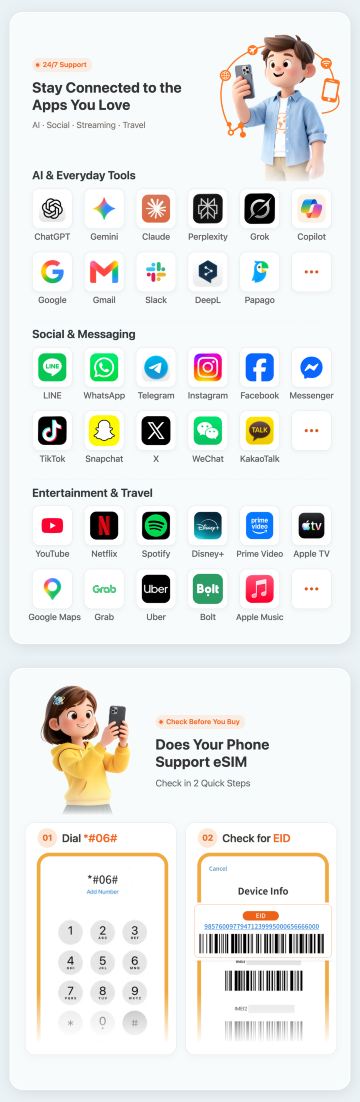
• Make sure your device supports eSIM and is not carrier-locked.

• If your device is incompatible and the plan has not been activated, contact the provider for a refund.

• If an error appears during installation, first check whether the eSIM has already been added.

• Scanning the same QR code again may cause an error. This is normal.

• Each eSIM can only be installed once.

• Do not delete it after installation.


■ Activation & Usage

• To receive SMS messages or verification codes on your original number, keep your original SIM card or eSIM active and set it as the default voice line.

• To avoid unexpected roaming charges, turn OFF Data Roaming on your original SIM card or eSIM.


■ Additional Information

• Network speed, coverage, and 4G/5G availability may vary depending on location, network conditions, and device compatibility.

• Some apps and services may be unavailable due to regional restrictions or provider-specific policies.

FAQ