
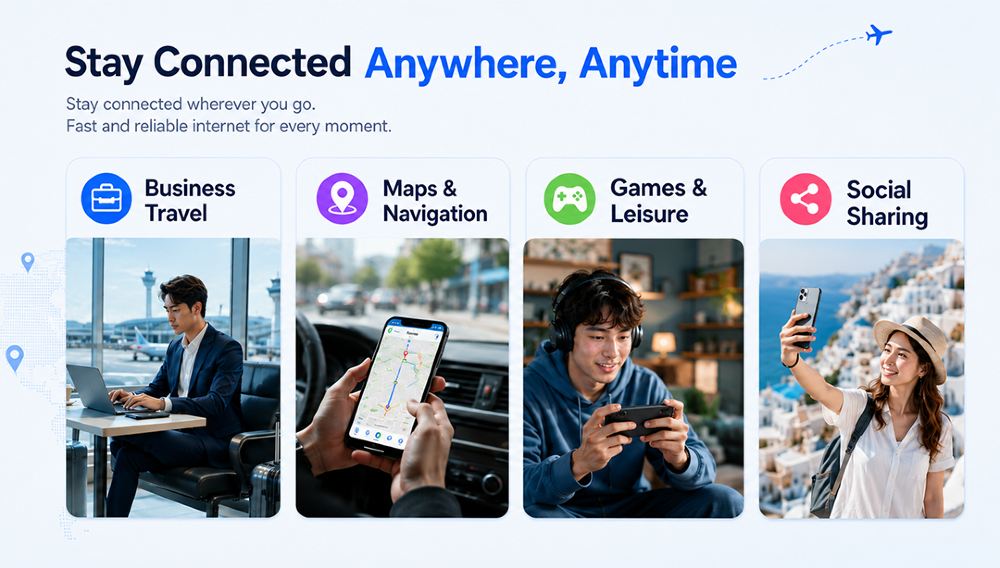
South Korea 5G eSIM | Google Maps/Chat GPT available | Daily package/total package | 24 hr billing | 3–30 days | QR Code

South Korea 5G eSIM | Google Maps/Chat GPT available | Daily package/total package | 24 hr billing | 3–30 days | QR Code

4.8/5
Excellent
(252 reviews)
5K+ booked
Use anytime during validity
Book now for today
Booking confirmation
Free cancellation by 23:59, 1 day before the expiration date
From
TWD 3
Limited-time sale
50% off
Device info

Product information

Traffic

Speed limit notice: When using the Internet abroad, activities such as heavy downloading or live streaming may violate the fair usage policy of international networks and result in speed throttling. The speed will automatically resume the next day. Please avoid excessive data usage within a short period.

Applicable plane model

Telecom version phones and locked devices cannot be used. For contract phones, please inquire with your carrier about availability.

Dial *#06# on your phone. If an EID is displayed, your phone supports eSIM. Otherwise, it does not. Only international versions of phones are supported. For details, please contact customer support. Android devices with CDMA, TD-SCDMA, or CDMA2000 networks are not supported, including customized phones, contract phones, unlocked phones with SIM adapters, DIY flashed phones, and all devices purchased through unofficial channels.

Signal coverage

South Korea: SK(4G/LTE/5G) / LGU+(4G/LTE/5G);

Product details

About TikTok Internet compatibility

The Internet service provider has optimized compatibility for TikTok, but cannot guarantee all phones will function properly. It is recommended to use phones supporting newer technologies. Refund requests due to phone compatibility issues may not be accepted.

iOS system: If you encounter TikTok login issues, try the following methods:

1. Update the iOS system to the latest version and reinstall the TikTok app

2. First log in to the official TikTok website through a browser, then go back to the app and try logging in again.

Android system: Currently, TikTok is only supported via browser (web version). The TikTok app is temporarily unavailable. For a better experience, we recommend using the TikTok web version.

[Check if your phone supports eSIM]

Before placing an order, please confirm that your device meets both of the following conditions:

Condition 1: Make sure your phone is not locked by your carrier

Condition 2: Check if your phone supports eSIM functionality (as shown below)

Steps: Open the phone dial pad and dial *#06#

If an EID is displayed, your phone supports eSIMs;

If no EID is displayed, your phone does not support eSIM.

Friendly reminder: If your device does not support eSIM, please do not place an order to avoid affecting your travel plans.

[eSIM device requirements]

Device version: The device is not a Chinese mainland, Hong Kong, Macao, or Taiwan version; some models in Hong Kong, Macao, and Taiwan do not support eSIM functionality.

System version: The system must meet the following version requirements: iOS 12.1 or later/Android 9 or later.

Network standard: The phone is unlocked, meaning it is not restricted to using other overseas carrier networks.

Internet conditions: Before downloading the eSIM profile, ensure you have a stable Internet connection via Wi-Fi or mobile data.

(Adding an eSIM is highly susceptible to Internet and signal conditions, which may cause installation to fail. Please perform the action in an area with good Internet connection. If the first attempt fails, you may retry multiple times.)

eSIM status: Some devices require clearing the eSIM number in use. Due to the varying storage space occupied by eSIM profiles from different carriers, most models cannot load multiple eSIM files simultaneously.

Show less
Validity period
Valid for 30 days from the booking date, Valid for 1 use(s) only
What's included
eSIM + in-package data and hotspot
Calls and SMS not included
How to use
Instructions
 
How to activate
 
After activation, the package duration is calculated as one day for every cumulative 24 hours.
 
[Installing eSIM]
1. Open the QR code attachment in your Trip.com booking and print it or save it to another device. (For iOS 17+ and some Android devices, you can directly save the QR code image to your phone)
2. Open "Cellular" (iOS) or "SIM manager" (Android) in Settings
3. With internet connection, tap "Add cellular plan" (iOS) or "Add SIM" (Android) to scan the QR code for installation
4. If scanning fails, manually enter the "SM-DP+ Address" and "Activation Code" from your booking confirmation voucher
5. If steps 3-4 fail, your device might be carrier-locked (restricting other network bands) in your country/region of residence - contact your carrier to unlock before using eSIM
[Using eSIM]
1. Disable primary SIM and enable eSIM
2. Turn on "Cellular" (iOS) or "SIM" (Android)
3. If still no connection after these settings, contact customer support for assistance.
 
Set up internet
 
iPhone: Settings > Cellular > Turn on cellular data > Cellular data options > Enable data roaming.
 
Can I insert the card in advance
 
Link your phone and activate the package after arriving in South Korea.
Change & cancellation policies
If a cancellation request is submitted before 23:59, 1 day(s) prior to the expiration date, no cancellation fee will be charged.
If a cancellation request is submitted after 23:59 1 day(s) before the expiration date, a fee of 100% will be charged.
This product cannot be canceled after activation.
If a discount is applied, the cancellation fee will be calculated based on the original price before the discount and will not exceed the amount paid.
Partial refund is not available.
Important note

[Install the eSIM]

Installing the eSIM requires an internet connection. You need to install it after arriving at your destination. Installing in a non-destination country/region may cause the eSIM to become invalid or prematurely start counting the usage duration.

(1) Install directly in the Trip.com booking details;

(2) Scan the QR code or manually enter the eSIM activation code to install;

[Use the eSIM]

(1) Disable the primary SIM and turn on the eSIM Internet switch;

(2) Enable "Cellular data (iOS)" or "SIM card (Android)";

(3) Turn on data roaming;

eSIM validity period

Validity period: 30-day expiration date for unactivated QR code from the date of shipment

[Do not delete the eSIM after installation]

The eSIM cannot be downloaded again (one-time installation only). Please install and activate it after arriving in South Korea.

Billing mode

The activation time is calculated as one day for every 24 hours from activation.

Applicable plane model

Compatible devices: Dial *#06# on your phone. If an EID is displayed, your phone supports eSIM. Otherwise, it does not. Only international versions of phones are supported. For details, please contact customer support. Android CDMA, TD-SCDMA, CDMA2000 customized phones, contract phones, locked phones, DIY flashed phones, and all devices purchased through unofficial channels are not supported.

Hotspot description

This card does not restrict hotspot usage. Due to higher-level restrictions in the iOS system, personal hotspot may not be enabled in some cases, while the Android system can normally enable hotspot.

Internet speed details

The card is a 4G/5G card, and all packages support 4G/LTE/5G signals, depending on local coverage. If the local signal is 3G, the phone will display 3G. If the local signal is 4G, the phone will display 4G or LTE. If the local signal is 5G, the phone will display 5G.

Disclaimer

Disable roaming on your domestic SIM card. Before using eSIM, make sure to disable data roaming on your domestic SIM card to avoid incurring high international roaming charges from using your domestic SIM's data network. You will be responsible for all such charges, including roaming fees, overseas SIM/eSIM purchase costs, and transportation expenses, with no additional subsidies provided.

Some information on this page is provided by AI translation

FAQ