Can You Pay in Installments on Trip.com? The Actual Details

By Trip.com
December 10, 2025
Straight to the point: for now, Trip.com doesn’t offer an integrated pay in instalments option for users in the UK.
If you’ve been searching for this option without finding it, it isn’t an error on your part. The option simply isn’t offered on the UK version of the website and app at the moment.
For users in the UK, the current situation is as follows:
- When you book a flight, a hotel or a train ticket on Trip.com, the total amount is charged in one go;
- On the website and in the app, the payment page doesn’t offer an official “pay in instalments (pay in instalments / pay in 3x / 4x)” option.
- If you can’t find a "Pay in instalments" button on the Trip.com payment page, don’t worry, it’s not because you missed it.
Why Do Sites Advertise “Trip.com Pay in Installments”?
Some voucher sites, payment services or comparison platforms list the merchants where you can use their services, but these descriptions are often very general. In some cases, the list includes Trip.com, without necessarily checking country by country. This information is not provided by Trip.com. It’s typically used by third parties to say that “our instalment payment tool can be used on many websites”, and Trip.com is among them.
Instalment payment offers from your bank or a service provider
If your bank or a payment service offers you an instalment plan, that’s between you and them!
You pay for your Trip.com booking by card. Later, your bank or a service provider sends you a notification: ⬇️
- « Would you like to pay for this expense in 3 instalments? »
- Spread this payment over several monthly instalments?
In this case:
- For Trip.com, it’s a standard one-off payment;
- Trip.com receives the full amount when you make your purchase;
- Afterwards, you pay back this amount in several instalments to your bank or to the service provider.
Interest, fees and conditions depend on your contract with your bank or a service provider, not Trip.com. This type of payment in instalments is handled outside the platform.
Trip.com UK Payment Methods: Cards, PayPal & More
Let's start with the full list. It gives you a quick overview of all the options: Amex, JCB, MasterCard, UnionPay, VISA, Discover, Diners Club, Apple Pay, Google Pay, PayPal, Trip-Coins and Trip.com gift cards. We'll briefly introduce each payment method, then dive a little deeper into three key categories: bank cards, PayPal and Trip-Coins.
Pay by Card

Trip.com UK accepts the major credit and debit card networks: Amex, JCB, MasterCard, UnionPay, VISA, Discover, Diners Club
With these cards, you can:
Pay online in pounds (and sometimes in other currencies, depending on your bank);
Get a quick confirmation of your booking;
Earn points, miles or cashback, depending on your card.
Paying with PayPal: familiar, with a sense of security

PayPal is available as a payment method on Trip.com. You can select it directly on the payment page, then you’ll be redirected to the PayPal interface to log in and confirm.
It's handy if:
- You don't want to enter your bank details every time;
- You'd rather bring all your online payments together in a single account;
- You like to keep track of your spending via your PayPal history.
You log in to your PayPal account, approve the payment, and your booking is confirmed. For Trip.com, it’s still a one-off payment, even if PayPal offers you other options elsewhere.
Pay using Apple Pay

Apple Pay is available on Trip.com for some iOS users. If you’re using the Trip.com app on your iPhone and you see the Apple Pay option, you can pay with the cards stored in your Apple Wallet. Authorisation is via Face ID or Touch ID.
Apple Pay lets you pay without entering card numbers on the website or in the app. It’s fast, ideal for mobile use, and popular with users who favour payment solutions integrated into their phone.
Pay using Google Pay
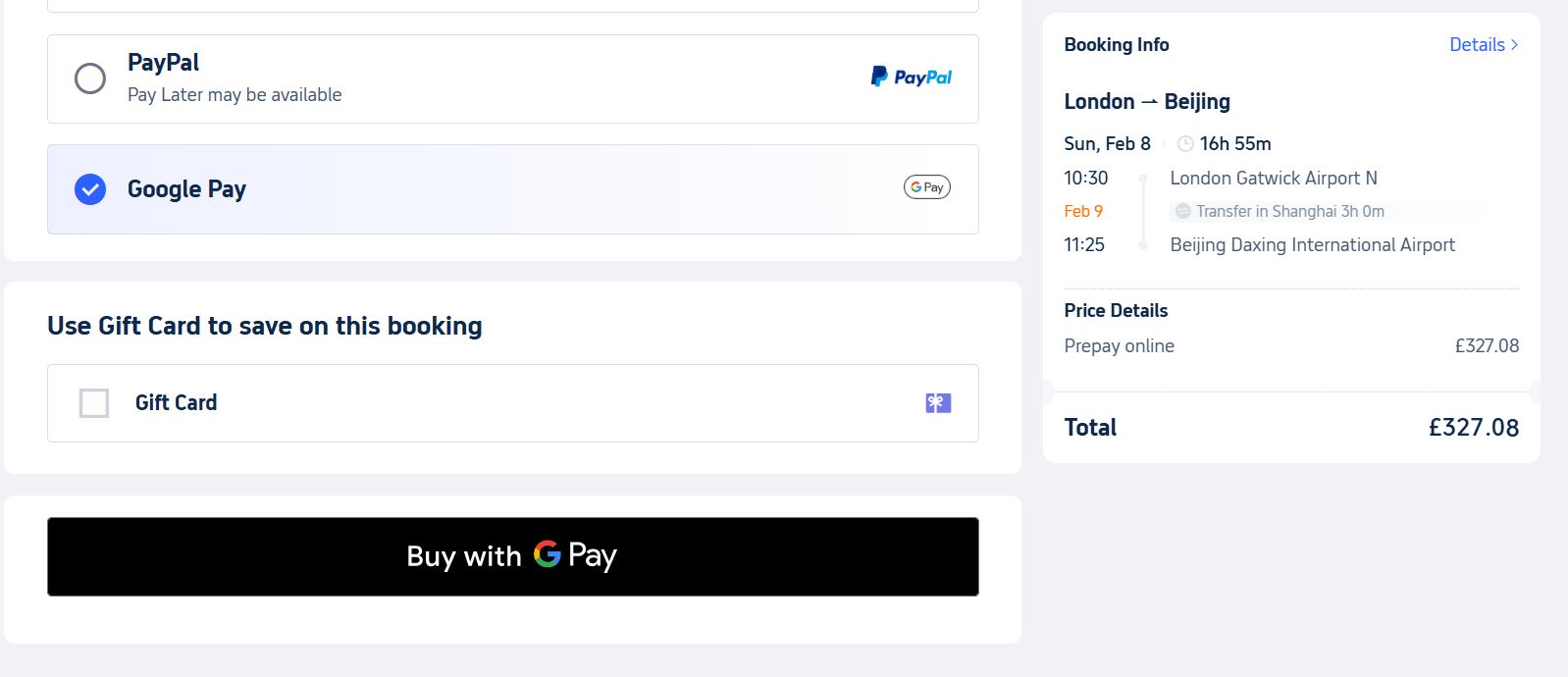
Google Pay is available on Trip.com for certain devices and browsers, particularly on Android. You add your cards to your Google account, then choose Google Pay on the Trip.com payment page and follow the instructions.
Google Pay lets you pay in just a few steps using cards already saved to your Google account. It’s handy if you mostly book on your Android smartphone and want to save time when paying.
On Android and in certain browsers, Google Pay is available:
- You add your cards to Google Pay;
- Select Google Pay on the payment page;
- Confirm in a few steps.
Pay with Trip Coins

Trip Coins are the reward currency of the Trip.com loyalty programme. You earn Trip Coins when you book hotels or flights, when you write reviews, and when you share travel experiences on Trip Moments.
You can then use your Trip-Coins to reduce the cost of your bookings on Trip.com: hotels, flights, a wide range of local activities, train tickets, airport transfers and car hire, whenever the option is available on the payment page.
The idea behind Trip-Coins is simple: every booking adds to a savings pot that helps bring down the cost of your next trip. The more you use Trip.com, the more Trip-Coins you accumulate, and the more you can save on future bookings.
Pay with Trip.com Gift Card
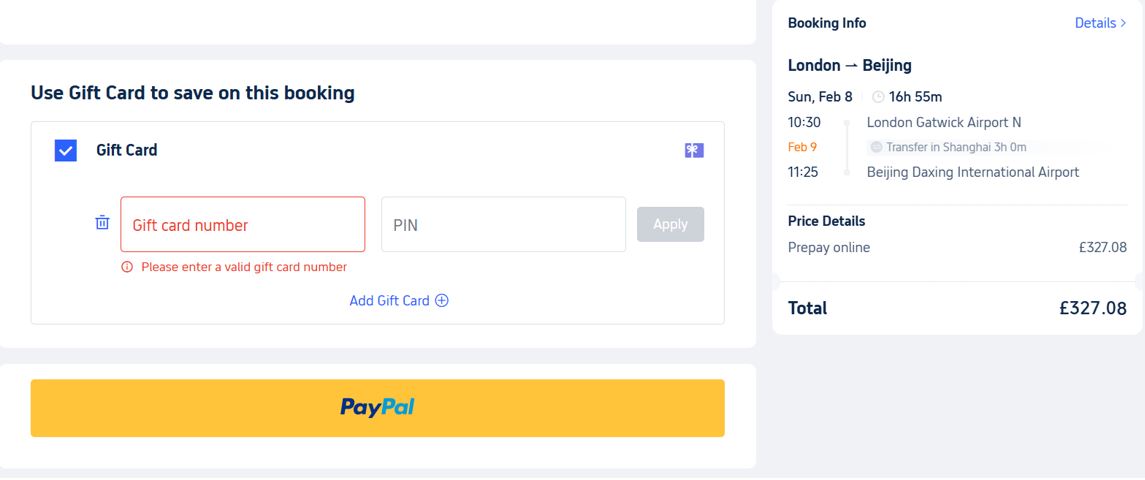
Trip.com e-gift cards are prepaid stored-value cards issued exclusively by Trip.com. Trip.com offers gift cards (often in the form of e-gift cards). They can be used to book a range of eligible products on the website and the app, such as hotels, flights, or other prepaid services.
At checkout, select 'Gift card' and enter the card number and PIN. If the card balance doesn’t cover the full amount, you can combine the gift card with another payment method, such as a bank card.
Gift cards are handy if you want to treat someone to a travel budget, or if you’d prefer to preload a set amount for your future trips. Please note that, depending on the applicable terms, it’s possible to earn Trip-Coins when purchasing a gift card, but bookings paid with a gift card generally don’t generate additional Trip-Coins.
🏷️ Find Flights, Hotels, Train Tickets, eSIM Cards, and Attraction & Tour tickets at discounted prices for your trip.
Trip.com Promo Codes & Current Offers
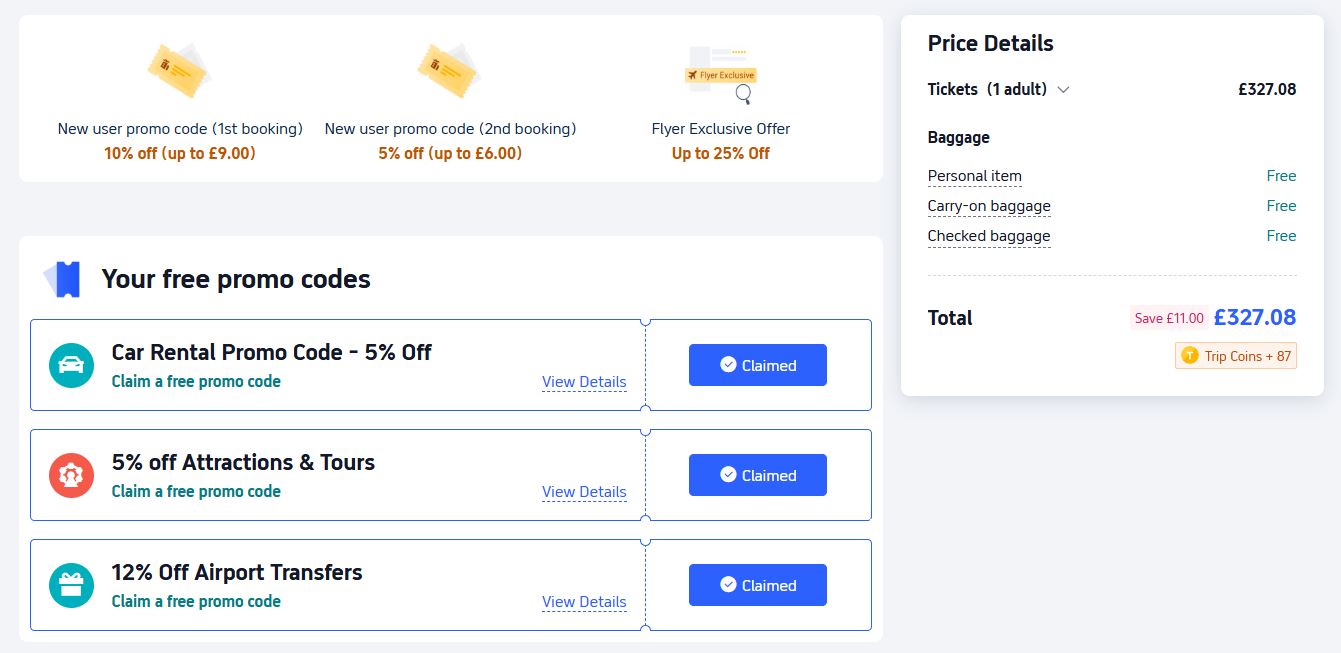
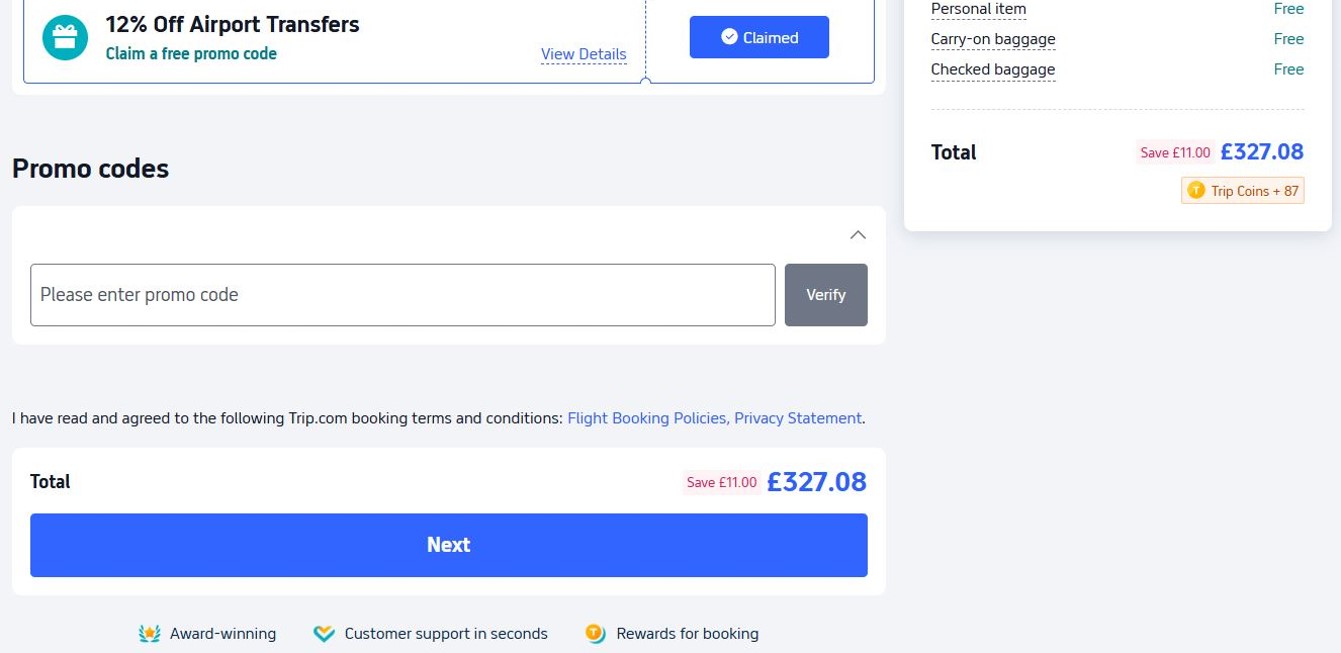
Discover the latest UK promo codes, updated weekly, and save on your trips to our most popular destinations. Enjoy deals on flights, hotels, trains, activities, car hire, airport transfers and eSIM cards. New users enjoy exclusive benefits in the app.
🔥🔥 Click the link below to get all the promo codes on Trip.com🔥🔥
Discover all Trip.com promo codes and enjoy bookings at reduced prices!
Category | Offers and discounts | Valid until |
1️⃣ Unlock 8% off (on your first app booking) 2️⃣ 5% off (first hotel booking) | 7 days after receipt | |
📱 Download the Trip.com app for exclusive hotel offers! | 💥 10% to 20% off your first booking. | 7 days after receipt |
Activities and tours | 5% off your first order (max. £2) | 3 days after receipt |
Trains in Europe: 5% off for new users | 31/12/2025 | |
Trains in China: 3% off for new users | 30 days after receipt | |
Airport transfers | Promo code for 10% off airport transfers for new users | 7 days after receipt |
12% off for new users when booking a flight on Trip.com | 7 days after receipt |
How to use your coupons?
- Enter the code during payment: enter the promo code on the booking page when making your payment.
- Use your coupons from My promo codes: once claimed, a coupon appears in the 'My promo codes' tab and is automatically applied at checkout.
Trip.com promotions can take many forms:
- Percentage discount on selected flights or hotels;
- Fixed discount starting from a certain amount;
- Offers exclusive to new users or for bookings made via the app;
- Seasonal campaigns (Black Friday, destination-based promotions, etc.).
When to Book on Trip.com to Save
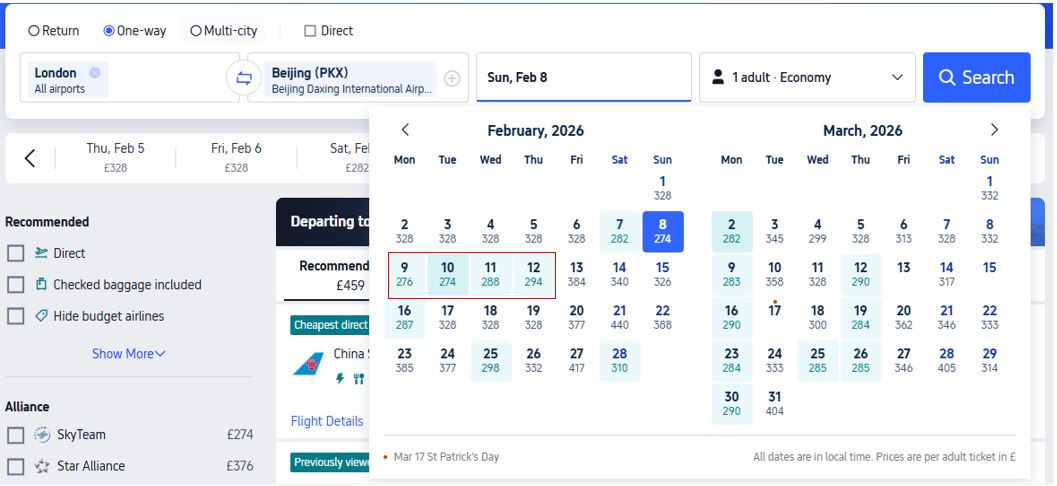

The timing of your booking also has a huge impact on the price. Trip.com, across its handy tips and on its flights page, always shares a few simple ideas: consider travelling during the week, steer clear of those super busy peak periods, and keep a keen eye on prices using all the fantastic tools available.
1. Avoid leaving it to the last minute during peak periods:
During peak season or for those incredibly popular routes, holding out until the very last minute can often mean you'll pay a premium. Prices tend to climb as flights fill up and hotels get booked solid. So, start browsing prices a few weeks or even months ahead of time, depending on where your wanderlust is taking you. The trick is to book once you find a fare that feels right for you, rather than gambling on a last-minute price drop that might never come!
2. Use Trip.com price alerts:
Trip.com offers price alerts for flights: set up your route and dates, and be notified when the price drops.
The idea is simple: instead of checking prices every day, let the system do the watching for you and get a notification when an attractive fare appears. It means you can snap up a great price at just the right time, without having to be glued to your screen.
Trip.com “Pay at Hotel” Option
With Trip.com's 'Pay at Hotel', you make your booking, with payment postponed until your arrival date or a later date. This method is suitable for booking hotels on Trip.com.
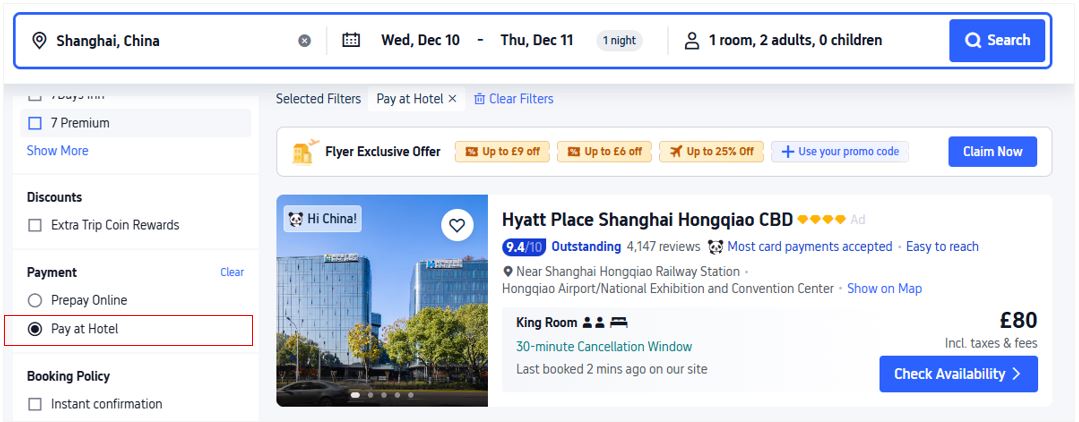
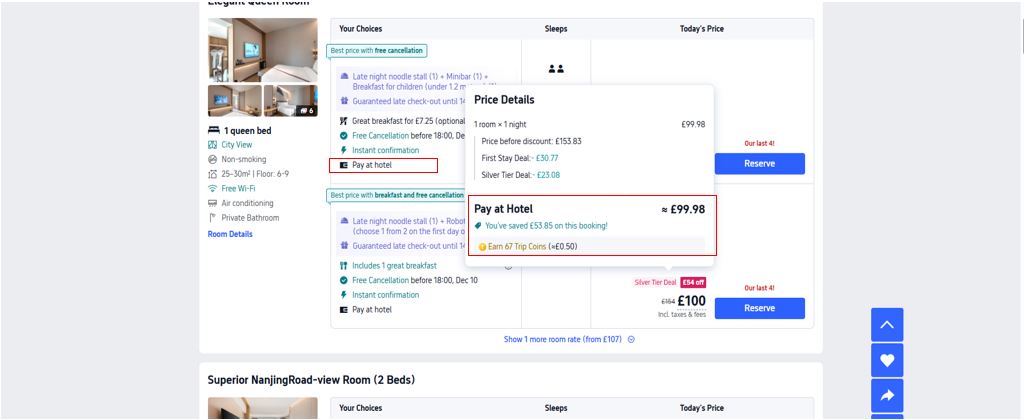
Advantages:
- Reducing the risks of uncertainty: If your trip is still being planned and you're not sure it will go ahead, the deferred payment option lets you reserve your room without paying upfront.
- Unlock flexible spending: No need to splash out a huge amount straight away; you're free to use this cash for other travel essentials (flights, visas, accommodation, etc.) and settle up later, once your adventure is all locked in.
- Enjoy ultimate flexibility and hassle-free cancellation: Most 'pay later' options come with a free cancellation window. Should your plans change, you're free to cancel within this period at no extra cost.
FAQs About Trip.com Installment Payments
-
Does Trip.com in the UK offer instalment payments?
-
What is "Pay at Hotel"?
-
How can I use Trip‑Coins to reduce my booking amount?
Disclaimer: This article has been provided by an individual contributor or third party platform. If there is any discrepancy regarding the copyright, please contact us directly and we will delete the content immediately.