Hotels: Save up to 10% (Book online or on Mobile)
Homes & Apts: Save up to £39 (App-only deal)

If you're planning a trip to China, you'll soon find yourself scanning QR codes almost without even realising it. From paying for a coffee and entering a venue to adding a new contact or even just opening a menu, everything revolves around them. In moments like these, WeChat isn't just another app – it's essentially your master key.
The trouble is, it often catches many people off guard the first time around. You open up WeChat, see the QR code right there in front of you, and haven't got a clue what to do.
Without further ado, here’s your step-by-step guide to scanning a QR code on WeChat. It’s completely hassle-free, so you can get on with your day as if you’ve done it a thousand times before.
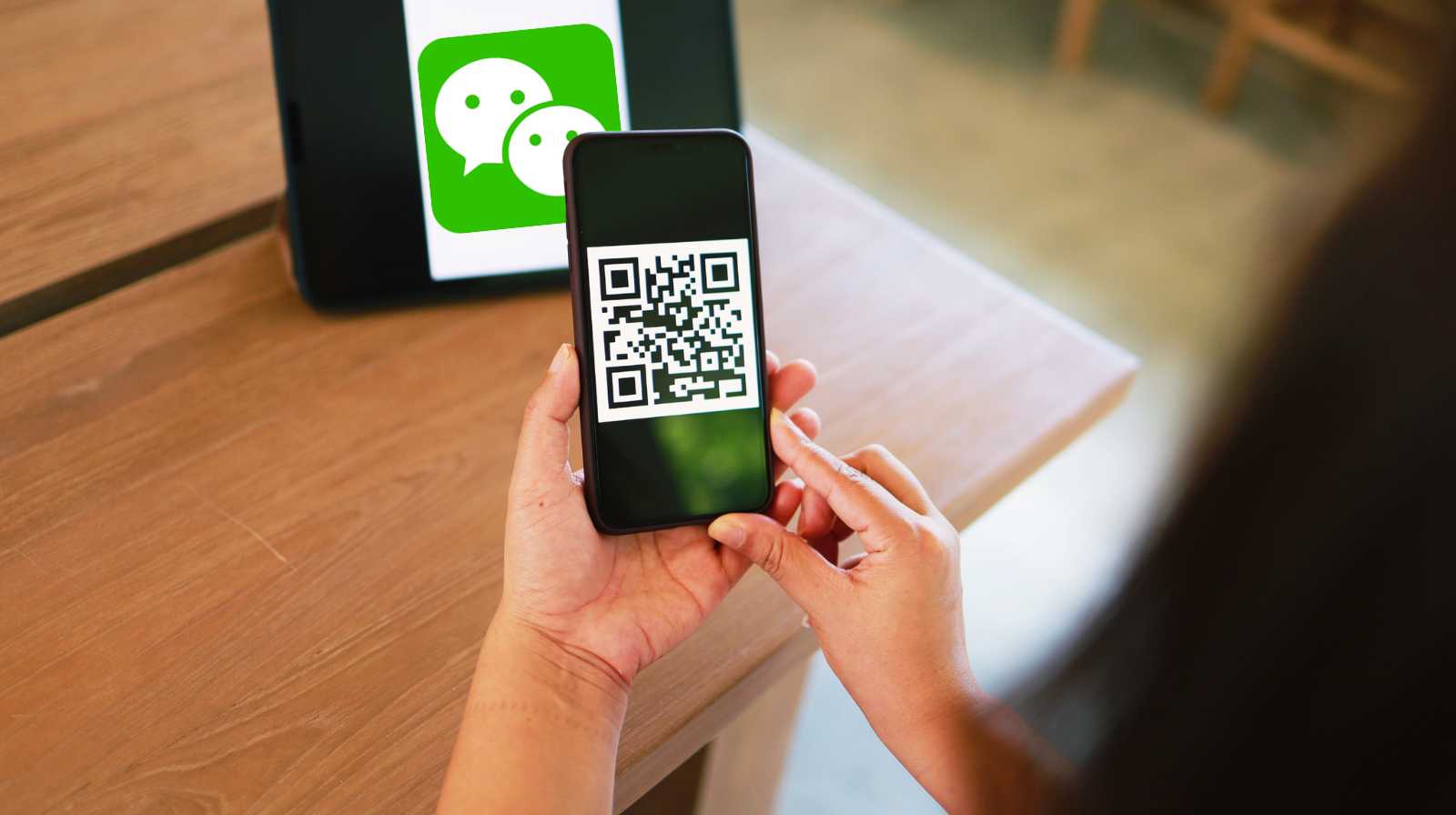
In China, QR codes aren't just an "optional extra" – they’re the ultimate shortcut for almost everything. You’ll typically find them at supermarket checkouts, stuck to restaurant tables, or at the entrance to the metro, with everyone getting things sorted in a couple of seconds using WeChat.
Just scan, confirm, and you’re good to go—no need to reach for your cards or hunt for cash. If you're wondering about the payment process, this is exactly what WeChat QR is all about. It’s a quick, simple gesture that opens the door to your daily shopping, taxis, cafes and, depending on the city, even certain transport services.
What's more, WeChat also doubles as a social "business card". Instead of reading out phone numbers or searching for usernames, people will often just show you a QR code – simply scan it, and you've added a new contact in an instant!
💡 Top tip: Another really common way to use WeChat QR codes is to follow official accounts. Museums, parks, shops, brands, and even some tourist areas will ask you to scan to access info, make bookings, receive updates, or unlock handy little perks.
Once you’ve got the hang of the right button, it’s plain sailing. Here are the two most common ways, straight to the point.
Now, if you haven't got WeChat yet, you can download it.
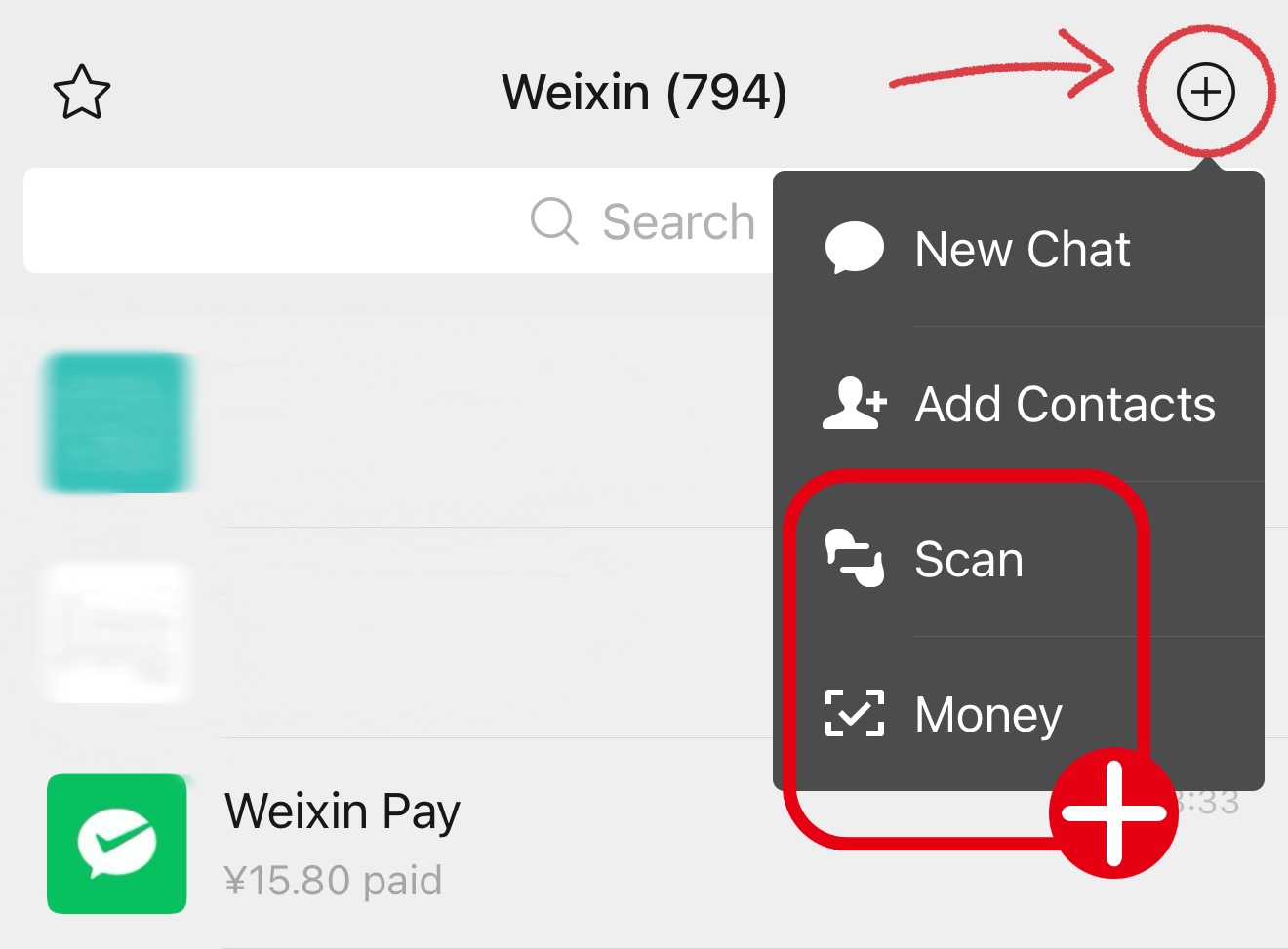
💡 Top tip: If the lighting is low or there’s a glare on the screen, just move your phone slightly or try a different angle. That usually does the trick!
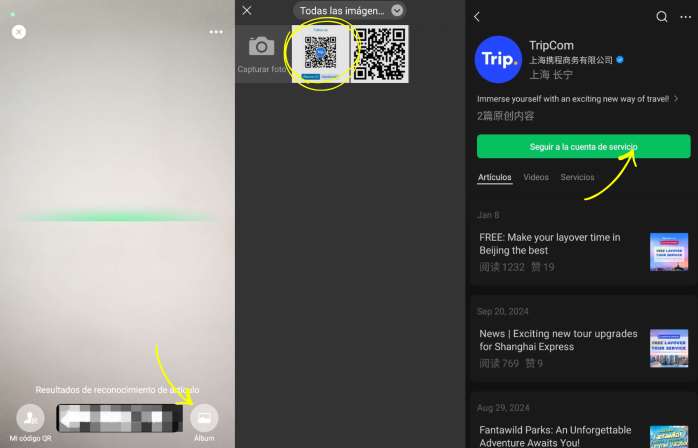
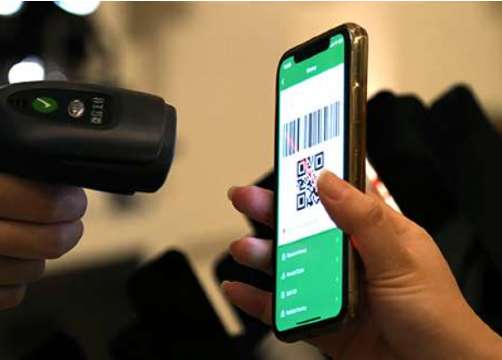
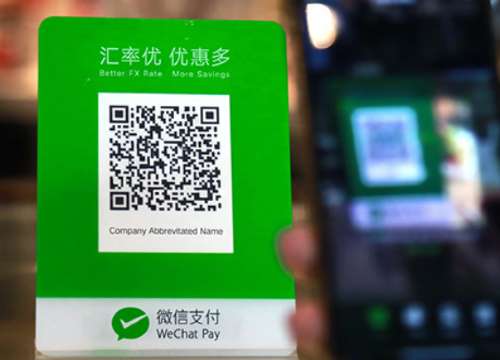
The key is being able to tell them apart right from the start. Scanning a QR code for information is one thing, but using a WeChat Pay QR code to pay is quite another. When you’re at the checkout, at a restaurant table, or in front of a turnstile, it’s usually for payment.
Here’s how it works in simple steps:
If you're heading to China, WeChat will likely be your constant companion, even more so than your actual travel guide. After all, many services are set up to work with just a QR code and little else, which for a traveller is a bit of a double-edged sword: it’s incredibly convenient… but it can be a little baffling the first time around.
Restaurants are where you’ll notice it straight away. You sit down, look around and, instead of a physical menu, you’ll spot a code on the table. Just scan it and the menu pops up on your phone, complete with photos, options, and sometimes even a button to order without having to flag anyone down. In practice, this saves you time and helps avoid any language barriers, especially when the place is buzzing and the staff are run off their feet.
It’s a similar story with hotels, attractions, and tickets. A QR code can be your key to a speedy check-in, easy access to a booking, or the perfect way to validate a digital ticket without needing to print a thing.
And on public transport, depending on the city and the system, you'll also find it useful for checking routes, topping up, or passing through the turnstiles.
By the way, it’s even more common in small shops and local stalls: you’ll find places where there’s no card machine, no cash, no fuss – just a QR code at the till and you’re all set.
If you’ve been wondering whether WeChat is worth it for your trip to China, here’s the answer: yes! It’s the most seamless way to get around without having to struggle with every little bit of admin.

Generally, yes, but with the same common sense you’d use when opening a link anywhere else.
The key is to avoid scanning on autopilot. A legitimate QR code is usually well-presented: on a shop's poster, on a table, or at a ticket office, with the business name clearly visible and no dodgy business. Suspicious ones, on the other hand, are often stuck over another, poorly printed, or placed where they simply don't belong.
When you scan, keep an eye on what it's asking for. If it takes you to a payment screen, double-check the merchant's name and the amount before you confirm. If it sends you to a suspicious link with an odd domain or anything that doesn't quite match where you are, the best thing to do is just close it and move on.
And if you're paying by QR code, it’s best to take your time, even if there’s a queue behind you.
With these four simple steps, your WeChat security will be robust, and a secure WeChat QR code will no longer be a worry. Instead, it becomes exactly what it’s meant to be: a handy tool for a more comfortable journey.
Enjoy a worry-free trip to China! 🇨🇳 📱
[5% Off] China Train Ticket Discount for New Users
24/7 Ticketing · 3-Minute Booking · E-Tickets
 947511 booked