Hotels: Save up to 10% (Book online or on Mobile)
Homes & Apts: Save up to £39 (App-only deal)

By Trip.com
June 25, 2026

Fancy making your Trip.com booking a little kinder to your wallet?
Is it really cheaper to book in the middle of the night?
You’ve likely seen plenty of advice online claiming that booking late at night or in the early hours of the morning is the secret to a bargain, but is that really the case? Since a holiday is a significant investment, it’s only natural to want to save every penny you can on your next booking.
In this article, we’ll reveal the cheapest times to book on Trip.com and share three savvy ways to bag a bargain. Read on to the end and save more for your foodie adventures and sightseeing!
To sum up, there isn't a specific "cheap time of day" to book on Trip.com. Prices are driven by the balance of supply and demand, rather than dropping at a particular hour.
That said, there are definitely "perfect moments" to snag a bargain! This is all thanks to "dynamic pricing" – a system where prices fluctuate based on demand and booking trends. It’s a clever way for airlines and hotels to adjust their rates in real-time, meaning the price you see is always the most current.
That’s why it’s not uncommon to see prices fluctuate every time you search, even for the same dates and times. Rates can actually change every few minutes!

It’s not the time of day that has the biggest impact on Trip.com prices – it’s actually these four factors.
Flight and hotel prices often drop depending on how bookings are filling up. Seasonality is another key factor, with a significant difference in rates between peak and off-peak periods. What’s more, prices can shift automatically due to competition, especially when other providers lower their rates.
Additionally, prices can also be affected by the sales strategies of airlines and hotels, such as early bird offers or last-minute deals.
Check out the latest Trip.com deals and offers happening right now!

Trip.com runs a variety of sales and campaigns all year round.
For example, during major campaigns like our 'Mega Sale' or 'Black Friday', you can snap up hotels at bargain prices and find flights at special rates. We also release app-exclusive coupons from time to time, so be sure to keep an eye out!
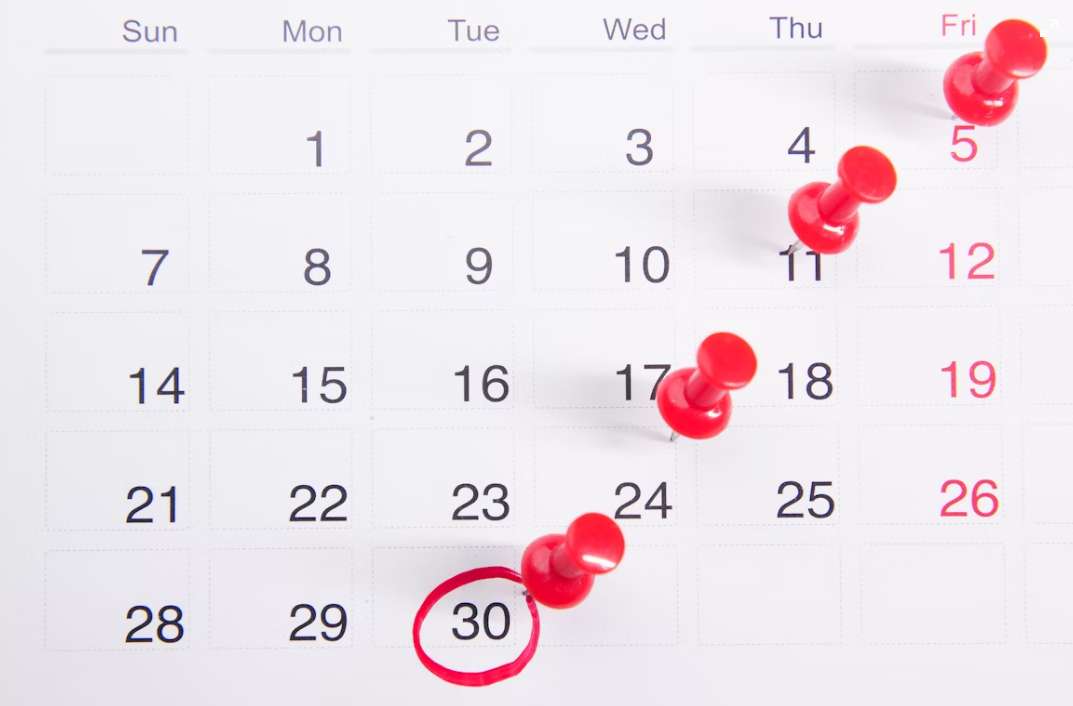
Tuesdays are often the best time to find a bargain, as prices tend to drop on many travel booking sites—and Trip.com is no exception! This is because there’s typically less demand from business travellers on Tuesdays, Wednesdays, and Saturdays, meaning more empty seats are often available for your next big adventure.
With business demand tailing off, these are the days when airlines adjust their fares, offering a fantastic opportunity to snap up a travel bargain.
Wednesday is often considered the quietest day for bookings, which means it's a fantastic time to find lower prices. You can expect some particularly great discounts if you book during the evening!
Searching for flights from Tuesday night through to early Wednesday morning often reveals lower prices. With less competition mid-week, it’s the perfect time to snap up a bargain!
Generally, you'll find that prices tend to be a bit higher during the following days and times.
With so many travellers booking over the weekend, site traffic peaks and prices can quickly climb. Sundays are also a popular choice for heading home after a weekend break, so you'll often find prices on the rise then too. If you can, it’s a smart move to avoid these days to bag yourself a better deal!
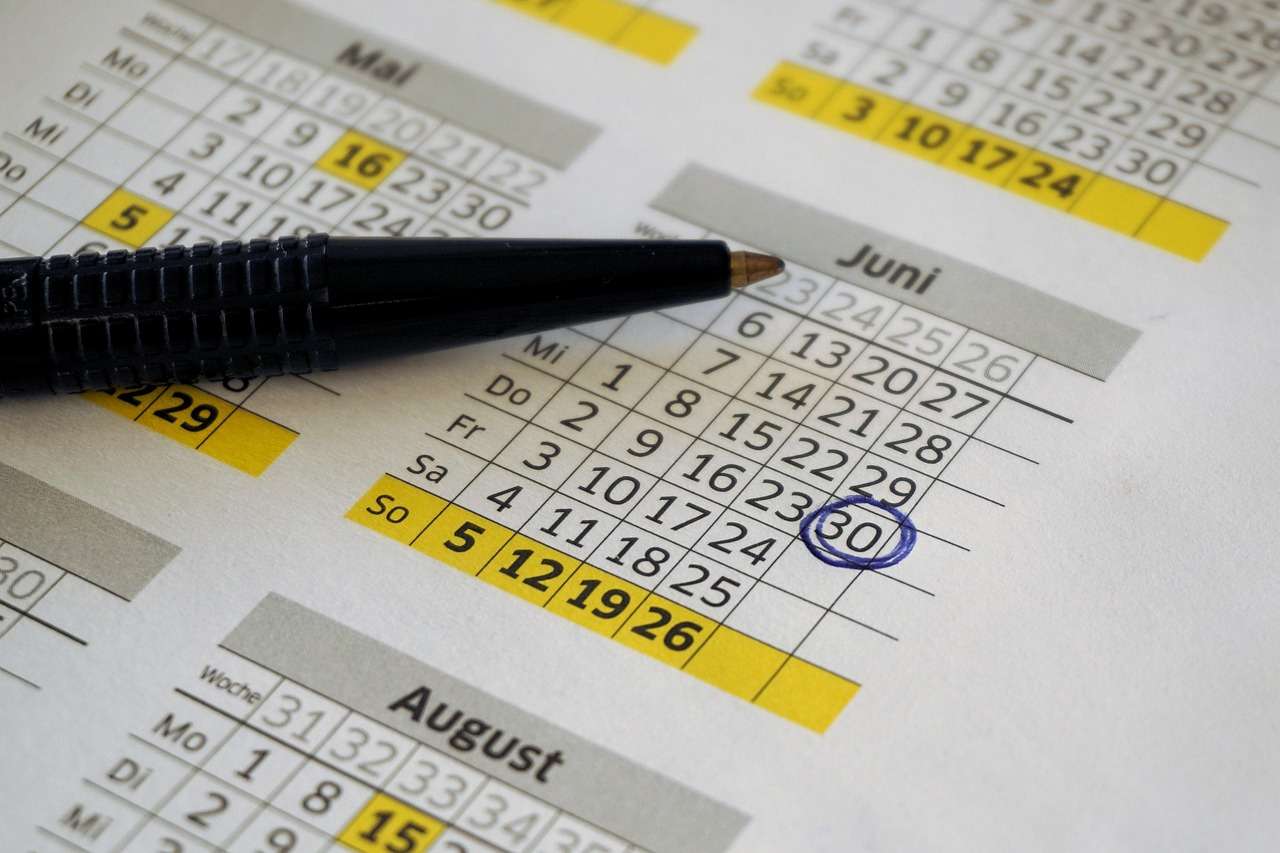
At Trip.com, you can easily save on your stay by booking during the off-peak season. We recommend travelling between mid-January and February, in mid-April or June, and from October to November for the best value.
| Off-peak season | Highlights | Estimated discount |
Mid-January to March | After the festive demand drops, and before the spring/Easter break. | 20–35% OFF |
May (excluding bank holidays) | The quiet window after the Easter holiday and before the summer peak. | 15–30% OFF |
September to October | Post-summer holiday lull, after children return to school and before Christmas bookings begin. | 20–40% OFF |
Trip.com’s financial year ends on 31 December, which means you can expect plenty of exciting sales as the year draws to a close! Keep a special eye out during November and December; as it’s the final push before the year-end, there’s a high chance of snagging some fantastic hotel bargains and exclusive deals.
By keeping an eye out for these regular promotions, you can snap up a booking at a much lower price than usual. Simply turn on notifications in the official app to make sure you never miss out on a great deal!

Trip.com offers a "Price Alert" feature – a handy service that sends you an email notification whenever flight prices drop. By receiving automatic updates when fares decrease, you'll never have to worry about missing out on the best deals!
It’s easy to set up—simply tap the ‘Price Alert’ button on the flight or hotel search page. Flight prices fluctuate constantly, so by using this feature, you can ensure you book at the lowest possible price.
Your Essential Guide: Setup and How to Make the Most of It
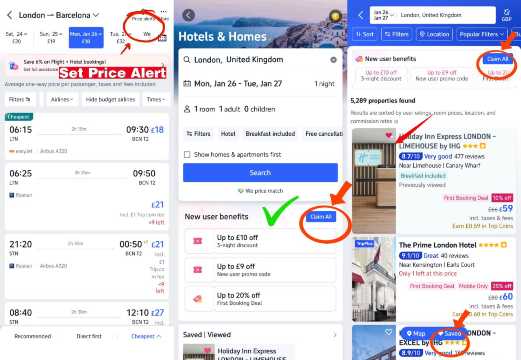
Some Trip.com coupons are app-exclusive, so make sure to book via the app to unlock the best deals. First-time app users can enjoy up to £10 off their hotel booking, get exclusive discounts on car rentals, and save up to £39 on homes & apartments. On selected flight routes, you can also save up to £20.
What's more, our regular 'Mega Sale' events offer incredible deals, with hotel discounts of up to 50% and coupons for up to £200 off. Simply turn on your notifications to be the first to snap up these exclusive offers!
▼Download the Trip.com app here▼
iPhone users, explore here!
Click here for Android

Trip.com has its own rewards programme called Trip Coins. You earn Trip Coins every time you book, and you can use them like cash on future pre-paid bookings. For example, 100 Trip Coins save about US$1 (≈ £0.74) at checkout.
The more you travel, the more you earn. Your membership tier boosts your rewards:
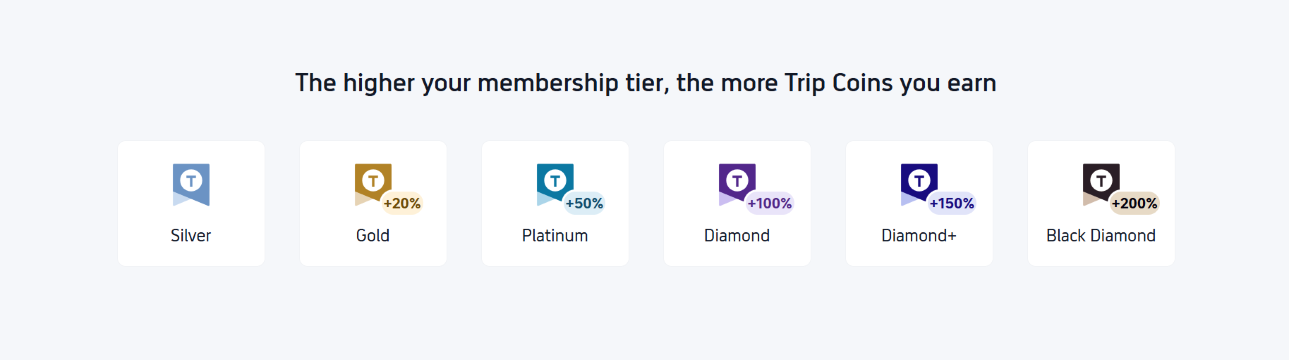
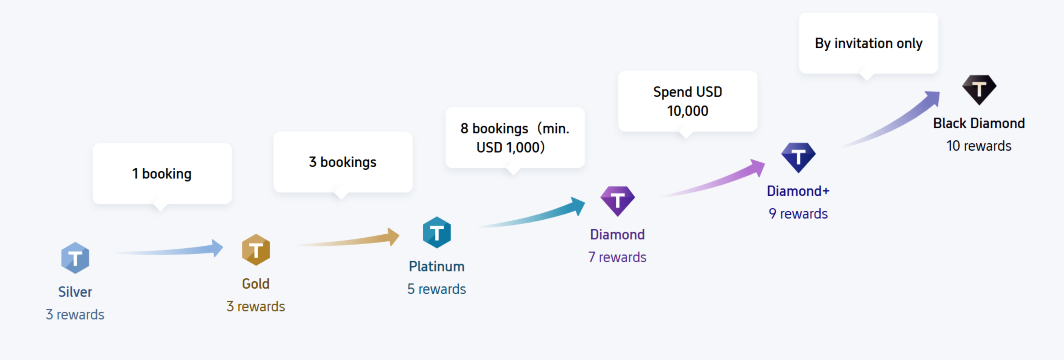
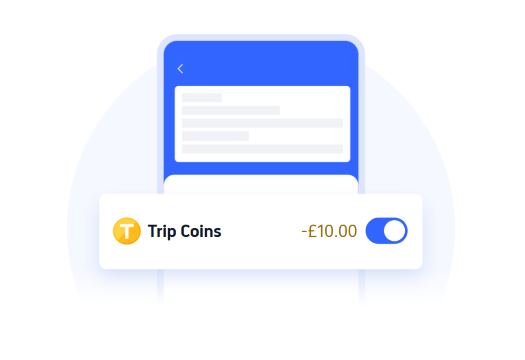
Trip Coins are applied instantly when you pay, so you save straight away. Just make sure your email is verified, as unverified accounts cannot redeem Trip Coins or join related promotions.

Booking your flights early and staying flexible with last-minute hotel bookings is the way to go. By using price alerts, app-exclusive rewards, and regularly checking our official sale pages, you can enjoy great-value getaways all year round!
If you're looking to make your travel budget go further, Trip.com is the perfect choice, boasting a global community of 600 million members. With 24/7 customer support available, you can book with total peace of mind, no matter when those flash sales land. Why not start planning your next savvy adventure with Trip.com today?


