 933752 booked






[5% Off] China Train Ticket Discount for New Users
24/7 Ticketing · 3-Minute Booking · E-Tickets
How to Sign Up for WeChat Without QR Code

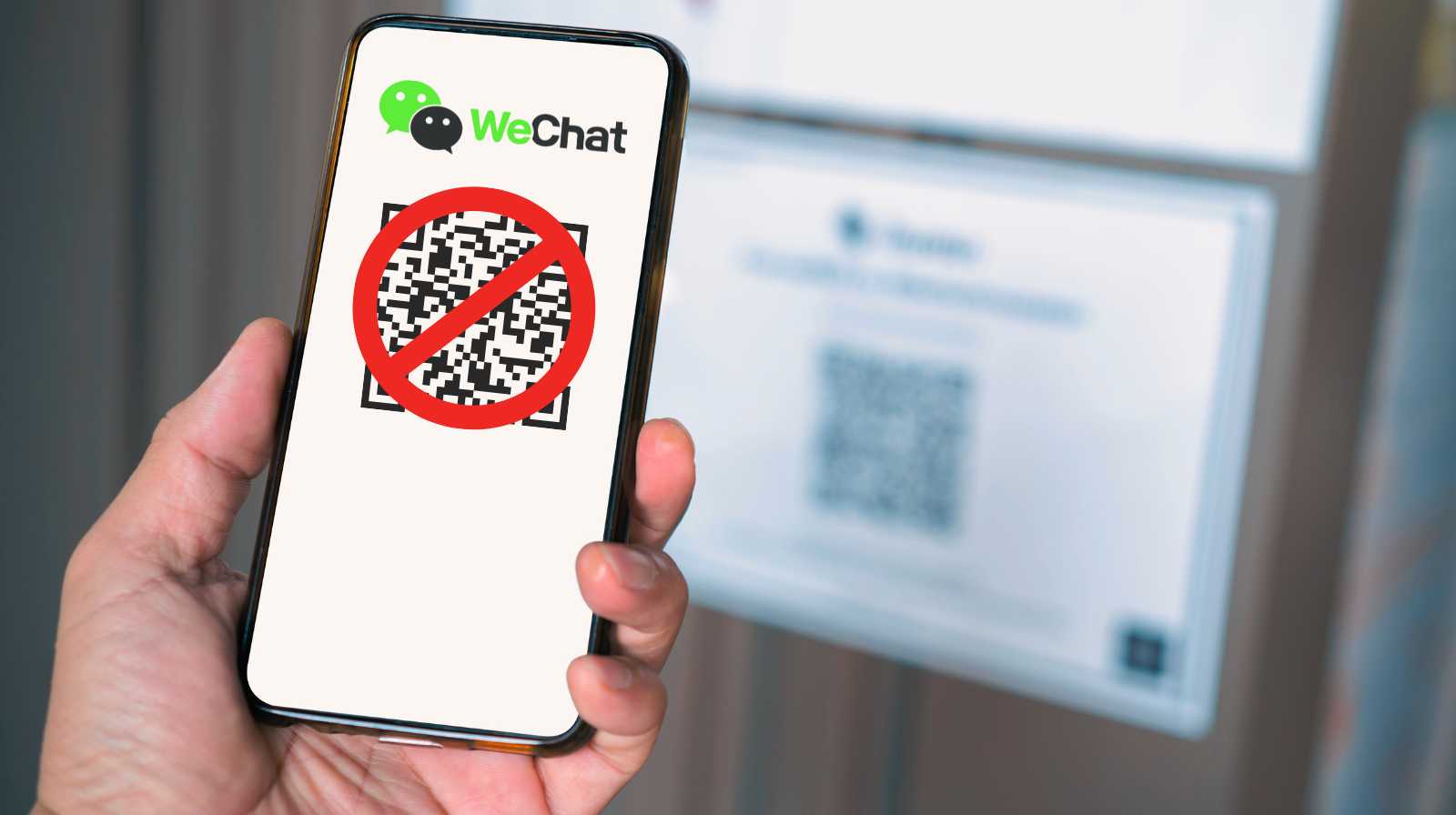
WeChat is one of those apps that can be a real lifesaver if you’re travelling or living in China. The only snag is that signing up isn’t always quite so "straightforward", and you might suddenly find yourself faced with the infamous QR code verification.
And of course, if you don’t have anyone nearby to scan it, you’re left feeling a bit stuck. But don’t worry! We’re going to show you exactly how to register for WeChat without a QR code, step by step, with real solutions to get you back on track.
You'll also discover how to install WeChat without a QR code, how to create a WeChat account without a QR code, and what hassle-free alternatives you have for verifying your account.
📲 How to install WeChat without a QR code
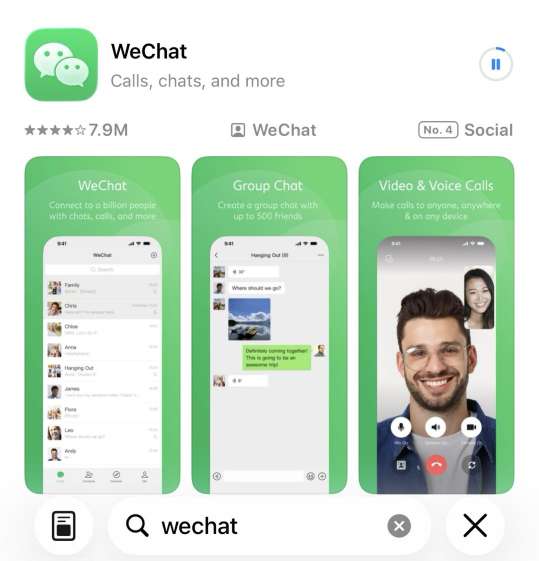
First things first: installing WeChat isn't quite the same as verifying your account. It might sound obvious, but this is where many travellers often get a bit tangled up. You can download the app without a hitch and be up and running in a couple of minutes.
The QR code usually appears later when you're creating or activating your account, so don't worry about it just yet!
To install WeChat without a QR code, start with the basics and do it right:
- Download it from an official source: on Android, head to the Google Play Store and search for “WeChat” (the developer is usually listed as Tencent). For iPhone, it’s the same in the App Store. Avoid APKs or third-party links, especially when you're getting your phone ready for your travels.
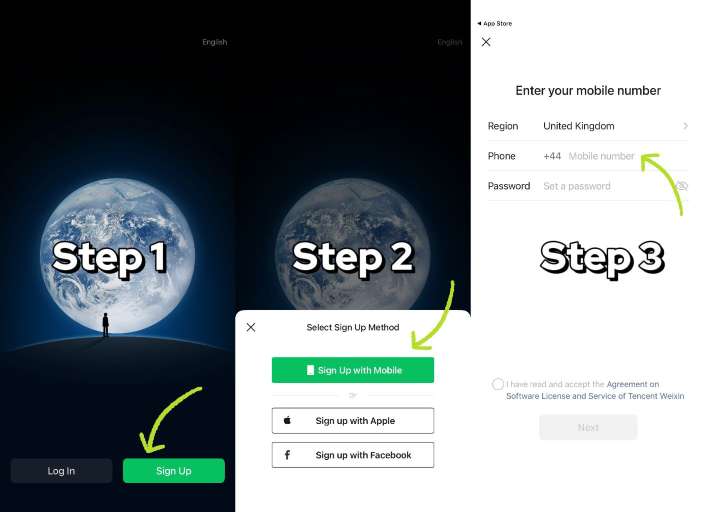
- Open the app and choose the right registration option: as soon as you're in, you'll see options like 'Log in' and 'Sign up'. If you don't have an account yet, simply tap 'Sign up with mobile'. There's no QR code just yet – this is just the start!
- Fill in the details WeChat asks for: you'll almost always be asked for your name, region/country, phone number, and a password. Sometimes, you'll also need to accept the terms and conditions and complete a security check (the classic 'slide to complete the puzzle' or something similar).
- Keep your mobile ready for that SMS: it’s essential you can receive the code on that number. If you’re abroad, double-check your roaming or use a SIM that receives messages without any drama.
China eSIM with VPN
See all attractions
🧾 How to create a WeChat account without a QR code
Great stuff! You’ve got WeChat installed. But here’s the important bit: a QR code isn’t “always mandatory”, but WeChat uses it as a security filter. Depending on your country, your phone, or even the version of the app, you might be able to move forward using other methods.
The trick is to get signed up using your phone, and then keep a keen eye out for alternative options if you ever hit a little snag!
Your step-by-step guide to registering without a QR code:
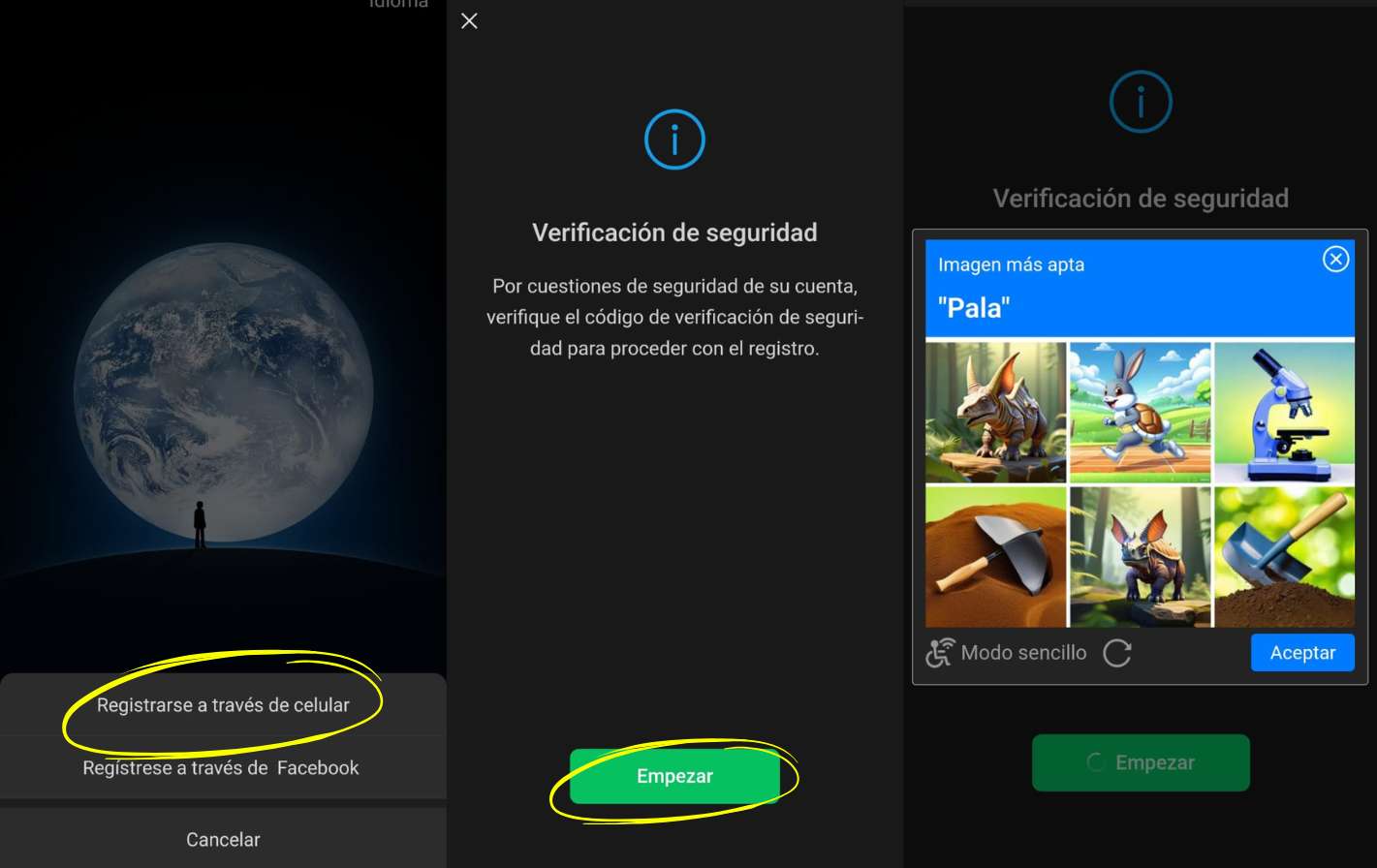
- Select “Sign up via mobile number”: open WeChat, tap Sign up and choose to register with your mobile number. It’s the most reliable method and usually unlocks extra features.
- Fill in your basic details: it’ll ask for the usual stuff—name, region, phone number, and password. Nothing out of the ordinary here! You might then see a quick security check, like a puzzle or a simple tick box.
- Confirm your number via SMS: WeChat will send you a code by text. Simply enter it and, in many cases, you’ll be all set. If luck is on your side, the QR code won’t even appear.
- If you're asked for a QR code, look for an alternative within the same flow. In some registrations, instead of scanning, you might see an option like 'verify with payment card' or 'activate Weixin Pay to verify' (the exact name may vary). If this appears, it’s your way forward: just follow the prompts, complete the verification, and then head back to the usual registration.
Book cheap flights to China
Beijing
Shanghai
Guangzhou
Chengdu
Xi'an
See all flights
🔄 Alternative ways to verify WeChat without a QR code

When WeChat decides to play hard to get with its scanning feature, the temptation is real to just keep trying, twenty times if necessary, until it finally gives in. And sometimes, just sometimes, it actually works! But more often than not, after a few valiant attempts, it just decides to make the verification process even trickier.
Instead of wrestling with the infamous WeChat QR code verification, it’s much better to explore alternative options and play it smart.
SMS verification
This is the most common scenario when your registration is sailing along smoothly. You'll get a code sent to your mobile—just pop it in and you're good to go! It sounds simple, but this is usually where the usual suspects crop up: the SMS not arriving (think roaming issues, operator blocks, or temporary SIM cards). If it hasn't landed within a minute, double-check your signal and give the app a quick restart before requesting another code.
Phone call verification
Sometimes, WeChat gives you the option to receive your code via an automated call, with a voice recording that reads the numbers out to you.
This is really useful if your SMS messages aren't coming through, especially when you're travelling abroad. Just make sure your mobile has a good signal and, if you have an unknown caller filter active, remember to switch it off for a moment so the call isn't blocked.
Deferred verification
In some cases, WeChat might let you in with limited features while you finish "earning" your account. Don't expect to be able to do everything from the word go, but it’s perfect for setting up your profile, language, and settings so you're ready for when full access is approved. It’s one of those handy little workarounds that can truly save your trip.
⚠️ Common issues when signing up for WeChat without a QR code

Sometimes, WeChat throws up a few hurdles that can leave your registration feeling a bit stuck. That’s why we’ve put together this guide to the most common issues you might encounter when trying to sign up without a QR code—and, of course, exactly what to do in each case.
WeChat SMS Not Arriving
Oh, this particular snag is incredibly, *incredibly* frustrating! You've popped in your number, you're eagerly anticipating that SMS verification code, and then... silence! Absolutely nothing arrives.
Don't worry, this is a pretty common scenario when you're exploring new lands or if you've got roaming enabled.
The solution?
- First things first, you'll need to make sure the number is correct.
- Once you've done that, restart the app and check that the messaging service is working (make sure to disable any blocks on messages from unknown senders).
- If the SMS still hasn't arrived, try phone verification: WeChat also offers the option to receive your code via an automated call.
Oops! It looks like your registration is stuck.
This is another classic. Sometimes, when you reach the verification screen and can't move forward, the process gets "frozen". The most common reason is that WeChat detects suspicious activity due to the use of a different network or the lack of a more "traditional" access method.
Try this:
- Sign out, switch your network (from Wi-Fi to mobile data or vice versa), and give it another go.
- You could also try waiting a little while before restarting the process, giving WeChat a chance to 'relax' a bit and stop blocking your registration.
Region or phone number error
Sometimes, if you're using an international number or an unsupported mobile carrier, WeChat might show an error that prevents you from moving forward.
If you've run into this issue, please make sure your phone number is correctly registered and your region is set up properly.
💡 In some app versions, manually switching your region (perhaps to China or a neighbouring area) could be the clever workaround to dodge these frustrating blocks. Just a heads-up though, it's not a guaranteed fix and might even lead to a block itself!
🧳 WeChat registration for foreigners: No QR Code? No Worries!

If you're outside China, getting registered on WeChat can be a bit tricky. The app works the same for everyone, of course, but the security system tends to be a bit fussier when it spots a foreign phone number, an IP address from another country, or a newly set-up mobile device.
That’s why, if you’re on your travels, it’s best to keep your expectations realistic. Sometimes you’ll be able to activate WeChat without a QR code just like that, while other times it might ask for extra verification, even if you’re doing everything right.
First things first. You'll need to use 'Register with mobile number', select your region correctly, and enter your number with the right country code.
Next, make sure you have something to hand that might seem obvious, but isn't always... the ability to receive SMS messages. With roaming incorrectly configured or a SIM that won't receive texts, signing up can quickly turn into an endless loop.
Can it be avoided? Sometimes, yes – especially if the app offers alternative options during the process (for example, additional verification or activating paid features, depending on the country).
And other times, it’s not quite so simple: if the system decides it needs confirmation, you’ll have to go through that check or wait a little while and try again using a different network.
Simplify mobile access in China. Use a China eSIM to register with your mobile number and receive SMS instantly.
❓ FAQ – Signing up on WeChat without a QR code
-
Can I create a WeChat account without a QR code?
-
Why does WeChat ask for a QR code even after I install the app?<br>
-
Is it safe to try registering without a QR code?
-
Can a friend who already uses WeChat verify me?
⭐ Discover more about WeChat
Guide: How to Scan a QR Code in WeChat?
Learn how to scan a QR code in WeChat to pay, add contacts or access services in China. A clear, step-by-step guide for travellers.
October 15, 2026
How to Use WeChat Pay in China as a Foreign Tourist?
WeChat is not only a chat tool, but also your "electronic wallet + life assistant". Today, let’s talk about how to use WeChat Pay like a local!
October 15, 2026
Disclaimer: This article has been provided by an individual contributor or third party platform. If there is any discrepancy regarding the copyright, please contact us directly and we will delete the content immediately.
Trending Searches
-
Travel guides