
🇬🇧 Save 23% on a 1-year Railcard
or 10% off a 3-year Railcard
Black Friday Train Deals
🚄New users save 5% (max £5), others get 2%!
Stay longer. Leave earlier
With LNER 70min Flex tickets, board early or late. Read more
What platform is my train? How to quickly check and find it?

Lauren Ryan

Finding your train platform doesn’t have to be smoke and mirrors – there are several ways you can check your train’s assigned platform as soon as the information is available.
We’ll explain how to check your train platform from home before you get to the station, how to confirm it once you’re there and what to do if your platform changes. There’s no need to guess your platform or blindly follow the crowds – official information is available in many different formats at the station.
How do I find out what platform my train leaves from?
Platform information can be accessed in a number of ways – the best course of action is to keep tabs on all the different formats to stay as up to date as possible. Platform information can be updated as the departure time approaches, so don’t assume you have the latest information after checking the details just once.
Check the station departure board
This is the standard way most people will find out which platform their train is leaving from. These large boards are usually located in the main concourse or by the station entrance. They will identify a broad overview of all the upcoming departures, final destinations, calling stations and assigned platforms. You’ll need to scan the board for your train by looking for your departure time and final destination of the train to check your train platform.
Tip for major hubs: Departure boards at large stations may have a multi-page or scrolling list of departures, so don’t worry if you don’t see your train right away. There may also be several similar departures – make sure both the departure time and destination match your service, and check calling stations to be certain.
Departure boards may be more like simple LED screens at smaller stations and may not be located in the main concourse. You might also find platform-specific boards at your platform showing the next few trains for that specific track. It’s always best to cross-check your platform number on the boards at the station rather than rely solely on screenshots or timetables.

Check live train departures
This is the travel hack of seasoned train passengers – it lets you check your service information before you even arrive at the station, allowing you to navigate the station with confidence. Just head to Trip.com‘s live departures and arrivals tool or your specific operator’s website or app to check available service information – it might be available here before it appears on the departure board, but it’s best to verify against information at the station.
Here’s how you find the information:
Select the station your train is departing from
Optionally add your destination to narrow down the results
Scan the results and locate your train by the departure time and destination
Optionally expand the results to review service details like calling stations
If your platform number isn’t available yet, check back for updates as your departure approaches
This online information is very handy to have in your pocket, especially if you’re running late or if you’re not familiar with the station and want to prepare in advance. However, you should ideally also stay informed of the latest updates and announcements given at the station itself.
Listen for station announcements
Public-address announcements will also usually be made at the station for additional confirmation of your train platform, as well as other information like any changes to your service or platform and disruption notifications. If you’re unfamiliar with a station or are struggling to access a display, it’s a good idea to listen out for any announcements too.
This information will also be made available on visual displays and official live information, both online and in the station, so don’t worry if you have hearing difficulties. Important information is always made available in a number of ways to ensure adequate accessibility.
When is my train platform announced?
There is no fixed universal lead time for when UK stations display platform information – train platforms are announced with varying levels of notice across the country. Some stations may give you plenty of warning, while others may announce the platform just a few minutes ahead of time. This can come down to the station’s own procedure, the particular service’s requirements or operational circumstances like a delay. In general, you can expect standard stations to announce your platform 10 to 15 minutes before departure and major hubs to give about 10 to 30 minutes’ notice.
But as these lead times can change by service or station, we recommend the following course of action to be best prepared for your platform announcement:
- Before leaving home: Check live online train time and service status – the platform may or may not be available on your chosen journey planner.
- When you arrive: Check the station’s departure boards and scan to find your service.
- While waiting: Keep an eye on the board and optionally use live online departure tools, while also keeping an ear out for any announcements.
- When the platform appears: Follow the signs guiding you to the indicated platform and allow yourself enough time to get there before your scheduled departure.
- If no platform is shown: Continue to wait in the passenger area until your platform is announced. Check online official information while you wait.
Can my train platform change?
Yes, your assigned platform can absolutely change, which is why you must continue to check screens and listen for announcements for the latest updates even after your platform is assigned. Platform changes may occur due to operational reasons, but they do not necessarily mean your train has been cancelled. Another train may be experiencing a delay that has caused a clash at the planned platforms, or your own train may be delayed. In any case, follow the steps below if you are informed of a platform change for your train:
Check the new platform number on the departure board or via an official announcement.
Follow the station signs to your updated platform.
You may need to take stairs, lifts, bridges or underpasses, so consider the time needed to reach the platform before deciding to grab a coffee or make any other diversions.
Once you arrive at the platform, check the screens there to confirm your service details.
If you are unsure, ask a member of station staff to confirm you are boarding the correct train – do not board a train without being certain it is yours.
If you see a platform number change on a station screen, always take this change seriously – you should not assume it is an error because of previously announced platforms. This is especially true for online live trackers or apps – these often display the ‘booked’ platform before a station announces the platform, but operational updates may lead to changes.

What if my train platform has not been announced?
Don’t worry – if your departure time is coming up and your platform still hasn’t been announced, it’s not always a cause for concern. Make sure you are checking the right departure – there may be several departures for your destination or at your departure time, so make sure both the destination and the departure time are correct.
It’s also a good idea to check official online trackers for live service information to see if there have been any delays or cancellations announced. In any case, once you’ve confirmed all the available information about your service, it’s best to continue waiting in the passenger area to monitor the departure board – listen out for any announcements too.
If it’s getting down to the wire and you still haven’t received any platform information, the best option is to ask a member of station staff for information on your departure. Have your ticket information ready so they can confirm your service.
Always arrive with enough time to find the concourse, check the board and reach your platform – don’t leave it until the last minute to head to your platform. If your platform is announced with minimal notice, be prompt in your journey to the platform but never run or take unsafe shortcuts.
How early should I arrive at the station?
Recommended arrival times for your train journey will vary depending on many factors, such as how big the station is, how heavy or light you’re travelling and the time of day your service is. For most standard journeys, 10 to 20 minutes is enough time to reach the station concourse, check the departure board and navigate through the station to your platform. However, you should allow extra time in the following cases:
- Travelling from a large or unfamiliar station, especially in London
Travelling with children, heavy luggage or mobility equipment
Using lifts or step-free routes
Travelling at busy times (e.g., morning or evening commute rush hour) or during periods of disruptions (e.g., strikes)
Arriving for a connection to change trains – respect the minimum connection time for your station
- Taking the Eurostar – you can find how early to arrive in our Eurostar check-in guide
Arriving earlier than necessary isn’t always useful – your platform information may not be displayed until closer to your departure time. Therefore, plan your arrival to give you enough time to check the information and reach your platform without rushing – and maybe some extra time for browsing or a snack if your station offers it.
FAQs about train platforms
Can I find my train platform before arriving at the station?
Your officially assigned platform will usually not be announced until closer to your departure time; however, you may be able to find your train’s provisionally planned platform via online trackers before you arrive at the station – just make sure to check this information against the official information on the station departure boards when you arrive.
How long before departure is a platform announced?
Platform announcement lead times vary by station, service and according to operational circumstances. However, in general, you can usually expect your platform to be announced 10–30 minutes before your departure – though disruptions may result in later announcements.
Can a train change platforms at the last minute?
Yes, your train’s platform may absolutely be changed at the last minute; that’s why it’s always important to keep an eye on live information at the station or an official online source, even after you’ve reached your platform. Listen out for announcements that may indicate a change in platform.
Is the platform number shown on my train ticket?
No, train tickets in the UK do not show the platform number. You will have to check the live departure boards in the station when you arrive.
How do I know I am boarding the right train?
Check the platform screens that your train pulls up to to verify that the train time and destination match what is shown on your ticket – checking calling points if you’re not travelling to the final destination. You can also check the side of the train for LED displays and the train operator. If you’re still unsure, ask a member of station staff to confirm.
What should I do if my platform is not displayed?
If your platform is not displayed on the station departure boards, you should remain in the passenger area and monitor the boards until it is announced. Make sure you are checking the correct service and consult official online sources for delay or cancellation updates. Consult staff if your departure is approaching and you still don’t know your platform.
What happens if I miss my train because the platform changed?
Approach station staff right away if you miss your train due to a late platform change. They can authorise your ticket for the next departure or advise you of how to proceed.
Where can I check live train departures in the UK?
You can check live UK train departures via Trip.com’s live online departure and arrival tool, official operator websites or apps or other live trackers.
Top Guides


What is an Open Return train ticket? Meaning, benefits and rules


How to buy train tickets in Italy: Step-by-step guide


Do you have to book train tickets in advance in Italy?

Getting the train to Design Museum: Closest station & routes

Do you have to book train tickets in advance in France?

Getting the train to Marble Arch: Closest station & routes

How to buy train tickets in France: Step-by-step guide

Getting the train to Excel London: Closest station & routes
Table of Contents
- How do I find out what platform my train leaves from?
- When is my train platform announced?
- Can my train platform change?
- What if my train platform has not been announced?
- How early should I arrive at the station?
- FAQs about train platforms
Ready to plan your trip?
Tue, Nov 10
04:00
Add return
Open return
Search
1 adult 0 children, 0 Railcards
Explore hotels
Related travel guides
 Updated: November 10, 2026
What is an Open Return train ticket? Meaning, benefits and rules
 Updated: November 10, 2026
How to buy train tickets in Italy: Step-by-step guide
 Updated: November 6, 2026
Do you have to book train tickets in advance in Italy?
 Updated: November 6, 2026
Do you have to book train tickets in advance in France?
 Updated: November 6, 2026
Can I break up a train journey? Stopover rules explained
 Updated: November 6, 2026
How to buy train tickets in France: Step-by-step guide
 Updated: October 27, 2026
What to do if you just missed your train?
 Updated: October 21, 2026
How to get cheap UK train tickets: 9 easy steps
 Updated: November 6, 2026
ScotRail Season tickets: Everything you need to know
 Updated: November 6, 2026
Great Western Railway Season tickets: Everything you need to know
 Updated: November 6, 2026
Getting the train to Design Museum: Closest station & routes
 Updated: November 6, 2026
UK First Class train travel: Is it worth it?
 Updated: November 4, 2026
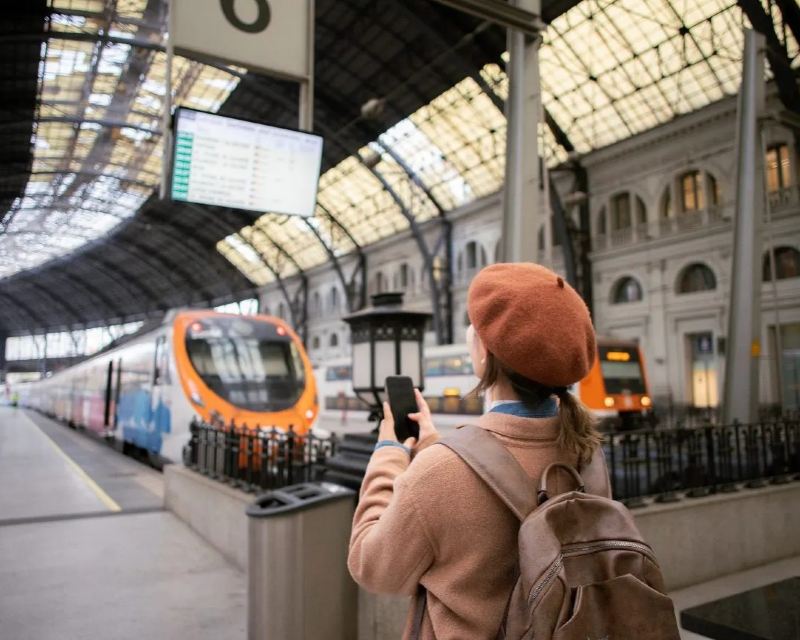
LNER 70min Flex tickets and eligible LNER routes
 Updated: October 19, 2026
What is a Season Ticket? Guide to unlimited travel in the UK
 Updated: October 19, 2026
A guide to child train tickets in the UK: What parents need to know?
 Updated: October 19, 2026
GroupSave tickets: How to earn discounts on group travel?
Latest Travel Guides
What is an Open Return train ticket? Meaning, benefits and rules
Published: November 10, 2026
How to buy train tickets in Italy: Step-by-step guide
Published: November 10, 2026
Do you have to book train tickets in advance in Italy?
Updated: November 6, 2026
Getting the train to Design Museum: Closest station & routes
Updated: November 6, 2026
Do you have to book train tickets in advance in France?
Updated: November 6, 2026
Getting the train to Marble Arch: Closest station & routes
Published: November 6, 2026
How to buy train tickets in France: Step-by-step guide
Published: November 6, 2026

Paris Christmas Markets by Eurostar: Full guide
Updated: October 28, 2026

Getting the train to Excel London: Closest station & routes
Published: October 28, 2026

Getting the train to Clifton Suspension Bridge: Closest station & routes
Published: October 27, 2026

Eurostar to Paris for New Year’s Eve: Our guide
Published: October 27, 2026

Getting the train to Oxford Street: Closest station & routes
Published: October 27, 2026
Latest Travel Guides
- What is an Open Return train ticket? Meaning, benefits and rulesPublished: November 10, 2026
- How to buy train tickets in Italy: Step-by-step guidePublished: November 10, 2026
- Do you have to book train tickets in advance in Italy?Updated: November 6, 2026
- Getting the train to Design Museum: Closest station & routesUpdated: November 6, 2026
- Do you have to book train tickets in advance in France?Updated: November 6, 2026
- Getting the train to Marble Arch: Closest station & routesPublished: November 6, 2026
- How to buy train tickets in France: Step-by-step guidePublished: November 6, 2026
- Paris Christmas Markets by Eurostar: Full guideUpdated: October 28, 2026
- Getting the train to Excel London: Closest station & routesPublished: October 28, 2026
- Getting the train to Clifton Suspension Bridge: Closest station & routesPublished: October 27, 2026
- Eurostar to Paris for New Year’s Eve: Our guidePublished: October 27, 2026
- Getting the train to Oxford Street: Closest station & routesPublished: October 27, 2026