Hotels: Save up to 10% (Book online or on Mobile)
Homes & Apts: Save up to £39 (App-only deal)

By Trip.com
June 26, 2026
If you’ve ever booked flights or hotels online, chances are you’ve used Trip.com.
While prices often look competitive at first, many travellers notice an extra charge at the checkout, commonly known as the Trip.com booking fee.
In this guide, we’ll break down what the Trip.com booking fee is, how much it costs, why Trip.com charges it, and how to reduce or avoid paying more than necessary.
A booking fee is an extra charge that Trip.com may add to the price of your booking.
This is separate from the base price of the travel service itself.
This fee is separate from airline taxes, hotel taxes or government charges, and it is collected by Trip.com, not the airline or hotel.
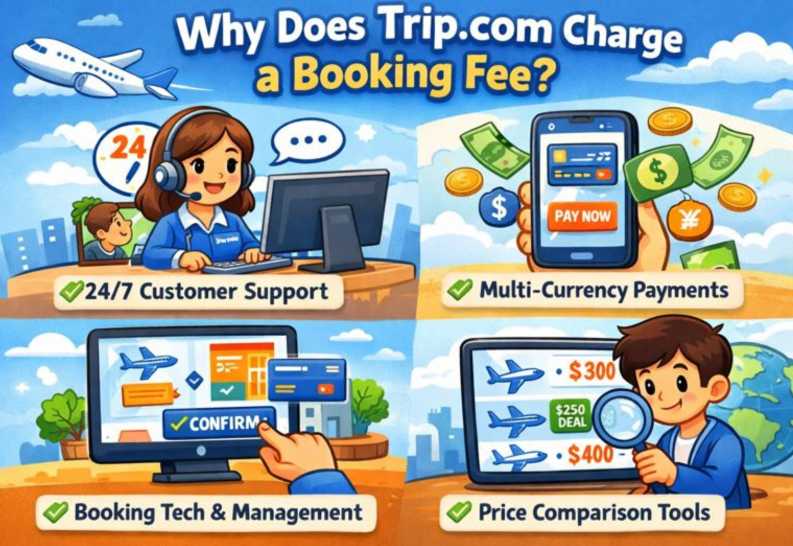
The Trip.com booking fee (sometimes referred to as a Trip.com service fee) is a platform charge added to your total booking cost.
It covers:
| What the Trip.com booking fee covers | Details |
Booking processing | Managing and confirming flight, hotel, or activity bookings |
Payment Handling | Secure payment processing and currency conversion |
Customer Service Support | Access to Trip.com customer support before and after booking |
Ticket Issuance & Management | Issuing e-tickets, booking updates and itinerary management |
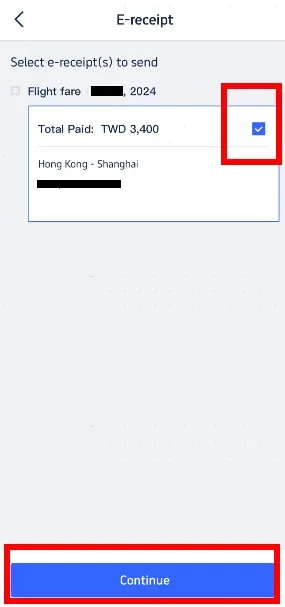
There is no fixed Trip.com booking fee. The amount depends on the type of booking, destination, and total cost.
The exact amount of the booking or service fee isn't fixed; it varies by:
Service fees often appear in the total price before you confirm your booking, so make sure to check the final amount before paying.
Booking Type | Estimated Trip.com Booking Fee |
Flight tickets | £0 |
Hotel bookings | £0 |
Train tickets | £2–£6 per booking |
Car hire / activities | £0 |
In addition to the Trip.com booking fee, travellers should be aware of these potential extra costs:
Some credit card or payment providers may charge an international transaction fee (often around 2.75-2.99%) when you pay on overseas websites.
This isn’t a Trip.com fee, but it adds to your total cost.
If you change or cancel a booking, Trip.com or the airline and hotel may charge a change or cancellation fee.
Occasionally, Trip.com adds its own administrative handling fee on top of the supplier’s fee.
Airlines may charge extra for seat selection, checked baggage, or other add-ons, and these can appear separately from the Trip.com booking fee.
These fees are often not included in the initial price and can increase your final total.
The Trip.com booking fee is a standard service charge applied to flights, hotels, and all your other travel bookings, getting you ready for your next adventure.
While it can increase the final price, it’s usually transparent if you check the checkout page carefully.
If you compare prices, choose the right payment method, and understand the cancellation rules, Trip.com can still be a convenient and cost-effective way to book travel.