Hotels: Save up to 10% (Book online or on Mobile)
Homes & Apts: Save up to £39 (App-only deal)

By Trip.com
April 2, 2026

Did you know that Trip.com's Bundled Deals feature could help you save on your next getaway? Designed to simplify the process of booking both flights and accommodation, the 'Flight + Hotel' option beneath the search bar is well worth exploring.
In this guide, we'll show you how to use this feature and what kind of savings you might expect.
If you're looking to tick off both your flights and accommodation in one go, this option can be particularly convenient. Booking them separately can sometimes lead to higher overall costs, especially during peak travel periods.
Bundled deals can offer noticeable savings — typically around 6% on average, though in some cases discounts can reach 20–30%, depending on your destination, travel dates, and availability. While savings aren't guaranteed, it's certainly worth comparing options before booking.
Start by visiting Trip.com and locating the search bar on the homepage. Just below it, you'll see the ‘Flight + Hotel' option. Click this to access the bundled deals feature.
Fill in the key details for your trip, including:
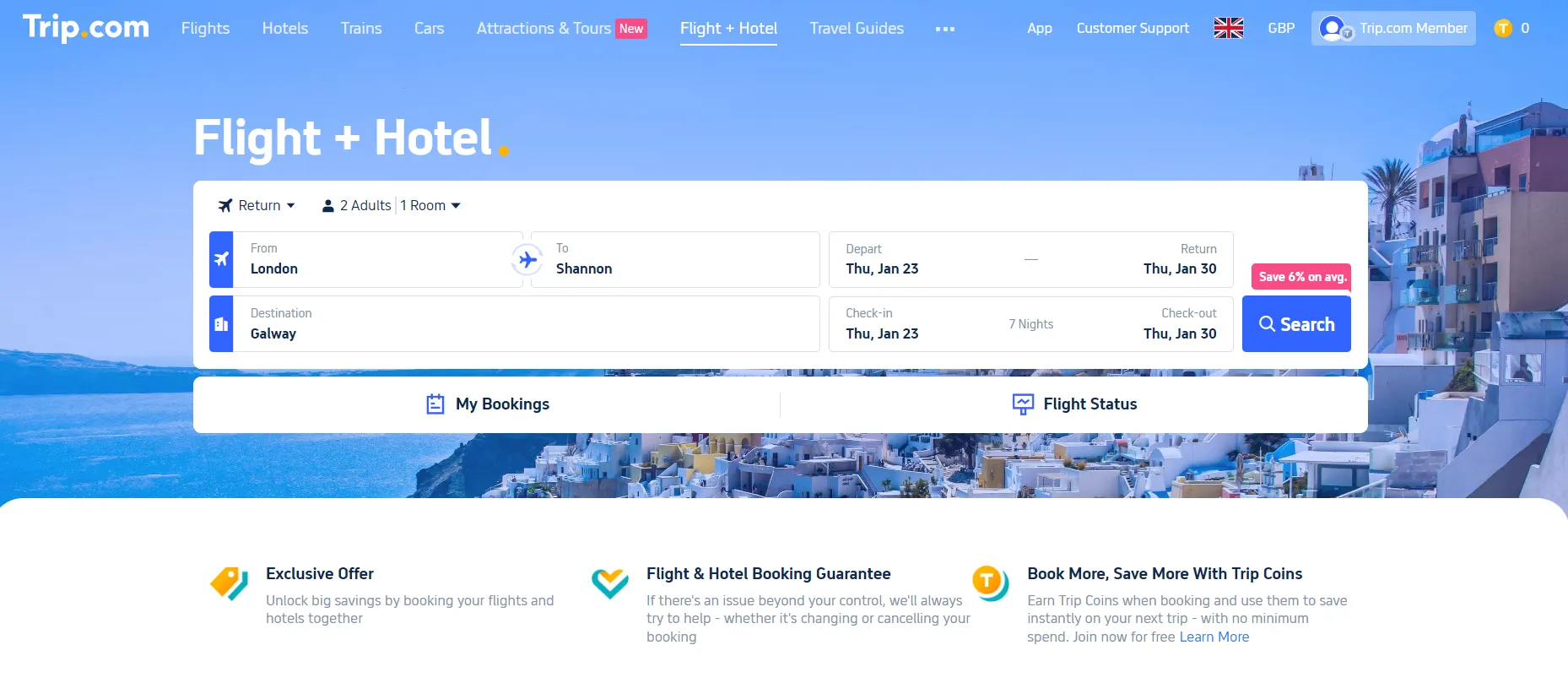
Once you click ‘Search', you'll be shown a suggested outline for your trip. This includes a ‘Selected Flight', featuring recommended outbound and return options.
If these don't suit your plans, you can easily change them by selecting ‘Change' to view a wider range of flights.
Below this, you'll find a list of recommended hotels, with options varying by price, star rating, and location.
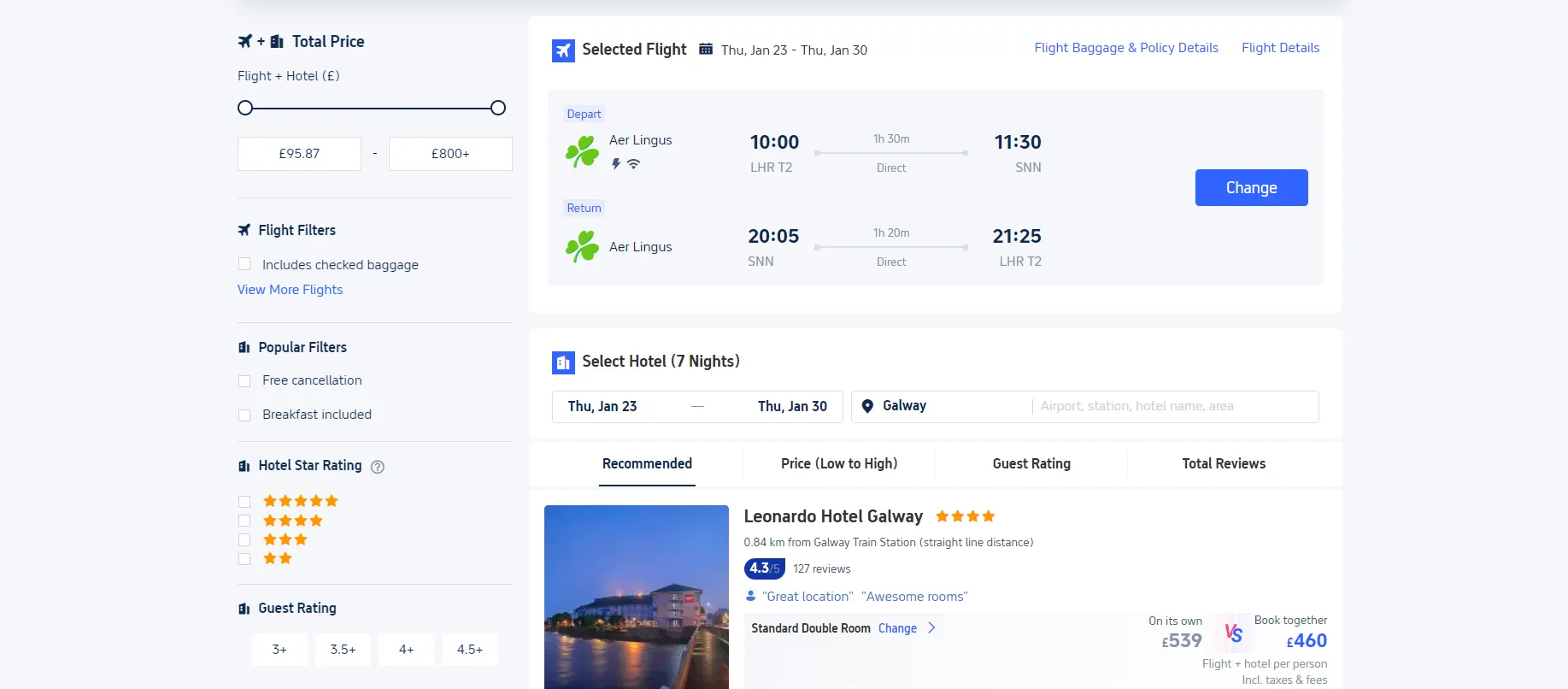
If the initial results aren't quite right, use the filters to refine your search. You can adjust:
Once you've compared your options, select the combination that best suits your needs. Be sure to review both the flight details and what's included with the hotel before continuing.
Many packages allow for additional upgrades, such as:
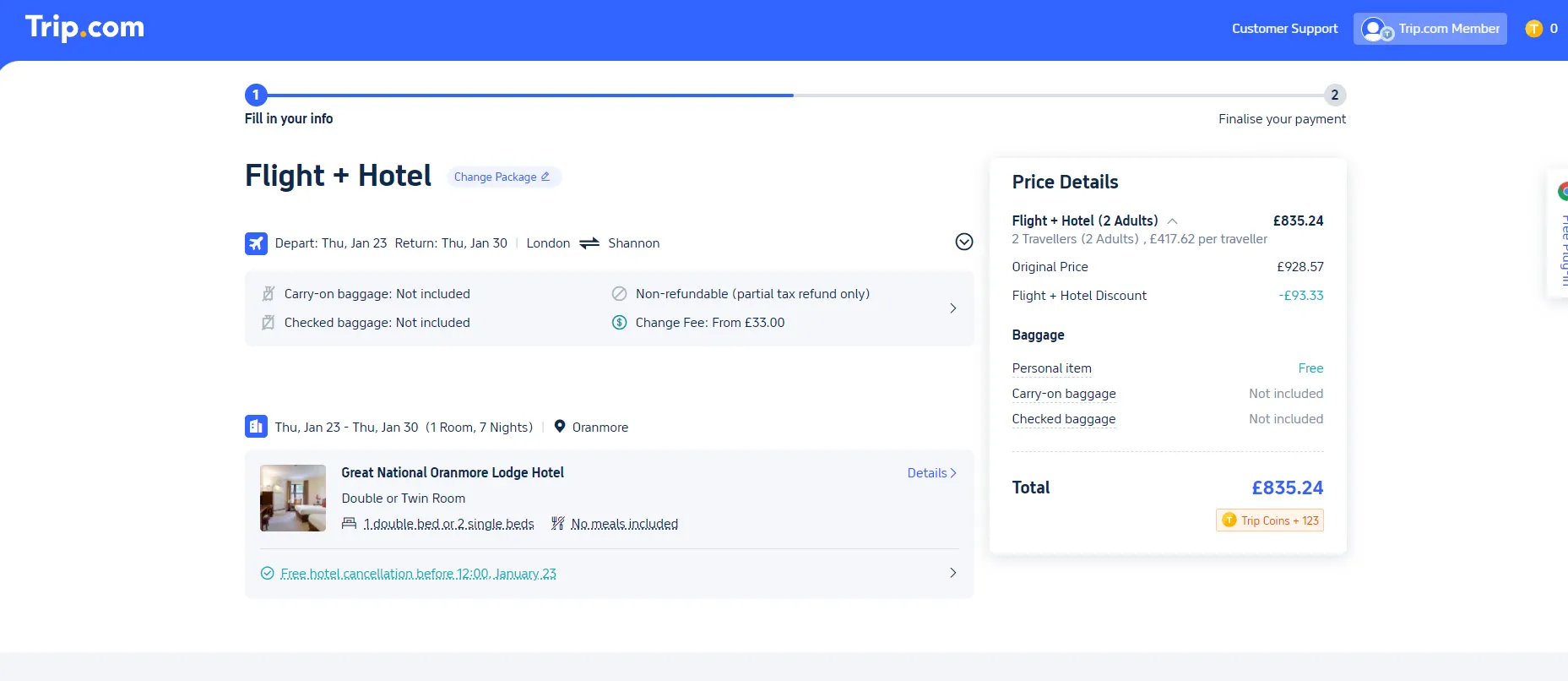
Click ‘Book' and follow the steps to enter traveller details and payment information, just as you would with any standard booking. You'll then receive a confirmation email with your full itinerary.
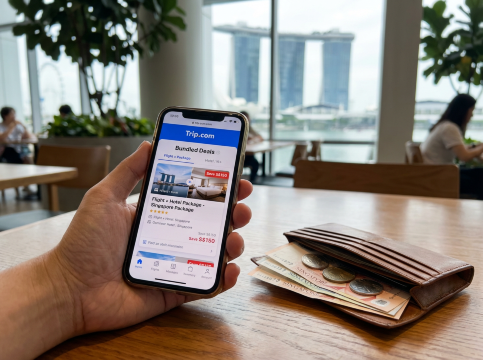
Trip.com's ‘Flight + Hotel' feature offers a straightforward way to plan your trip while potentially reducing overall costs. By bundling two major expenses into a single booking, you can benefit from added convenience and, in many cases, better value.
Whether you're planning a short break or a longer holiday, it's a practical option worth considering.