How to Track Flight Status on Trip.com?

By Trip.com
June 26, 2026

Planning a trip should be exciting, but staying on top of your flight details can become a challenge. Here at Trip.com, we intend to make it easy to track your flight status so you can travel stress-free, meaning you can keep an eye on departure times, delays, or gate changes with ease.
How to Track Flight Status Directly on Trip.com?
Step 1: How to Check Your Flight Status
Click to go straight to the Trip.com Flight Status page 👈
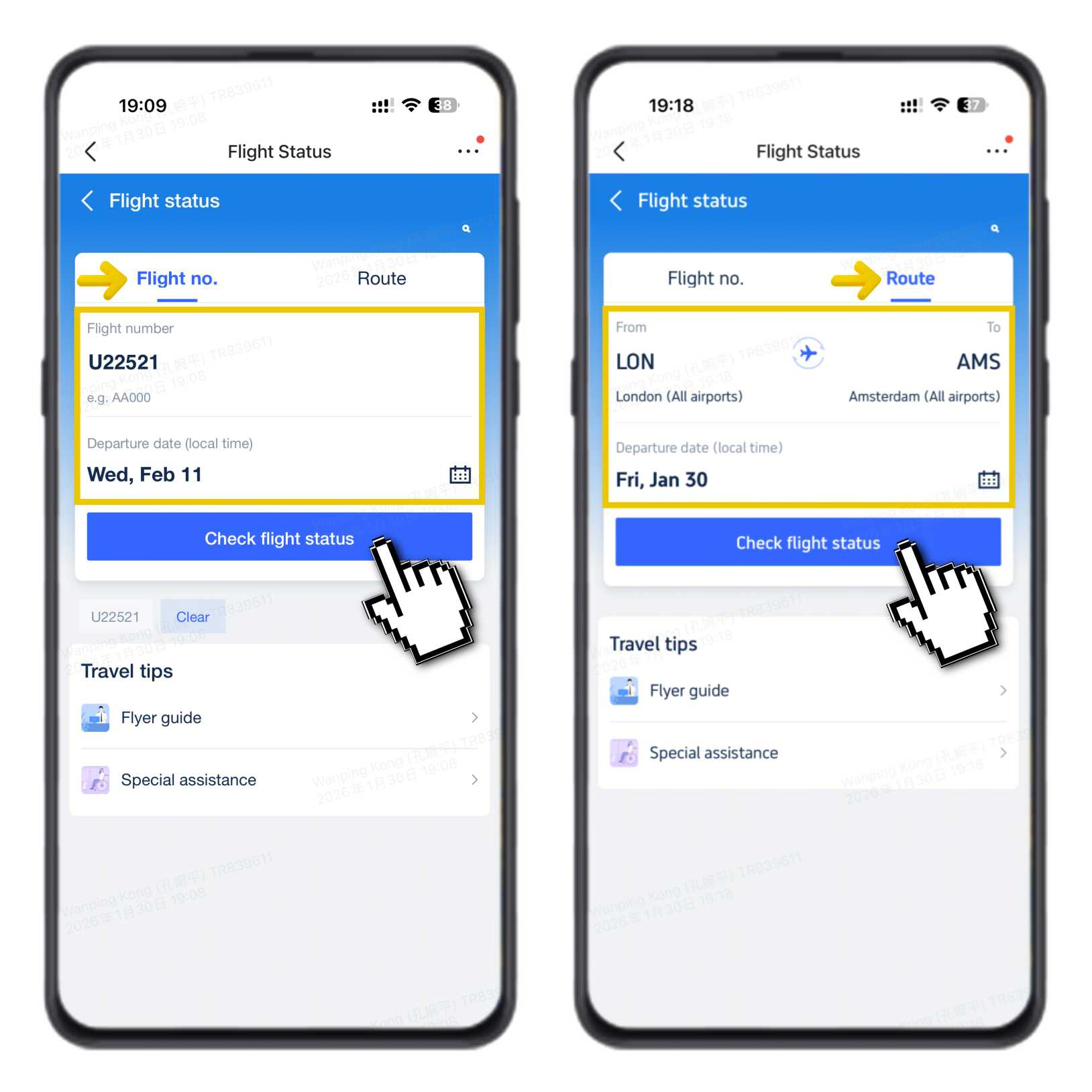
- Enter your flight number (e.g., U22521) or select your route (e.g., London to Amsterdam).
- Select the departure date (local time).
- Click "Check Flight Status".
You will be taken directly to the main flight status screen, where you can see the latest updates for your flight.
Book cheap flights on trip.com
to Paris
to Edinburgh
to Dubai
to Rome
to Barcelona
See all flights


Step 2: What You'll See on the Main Page
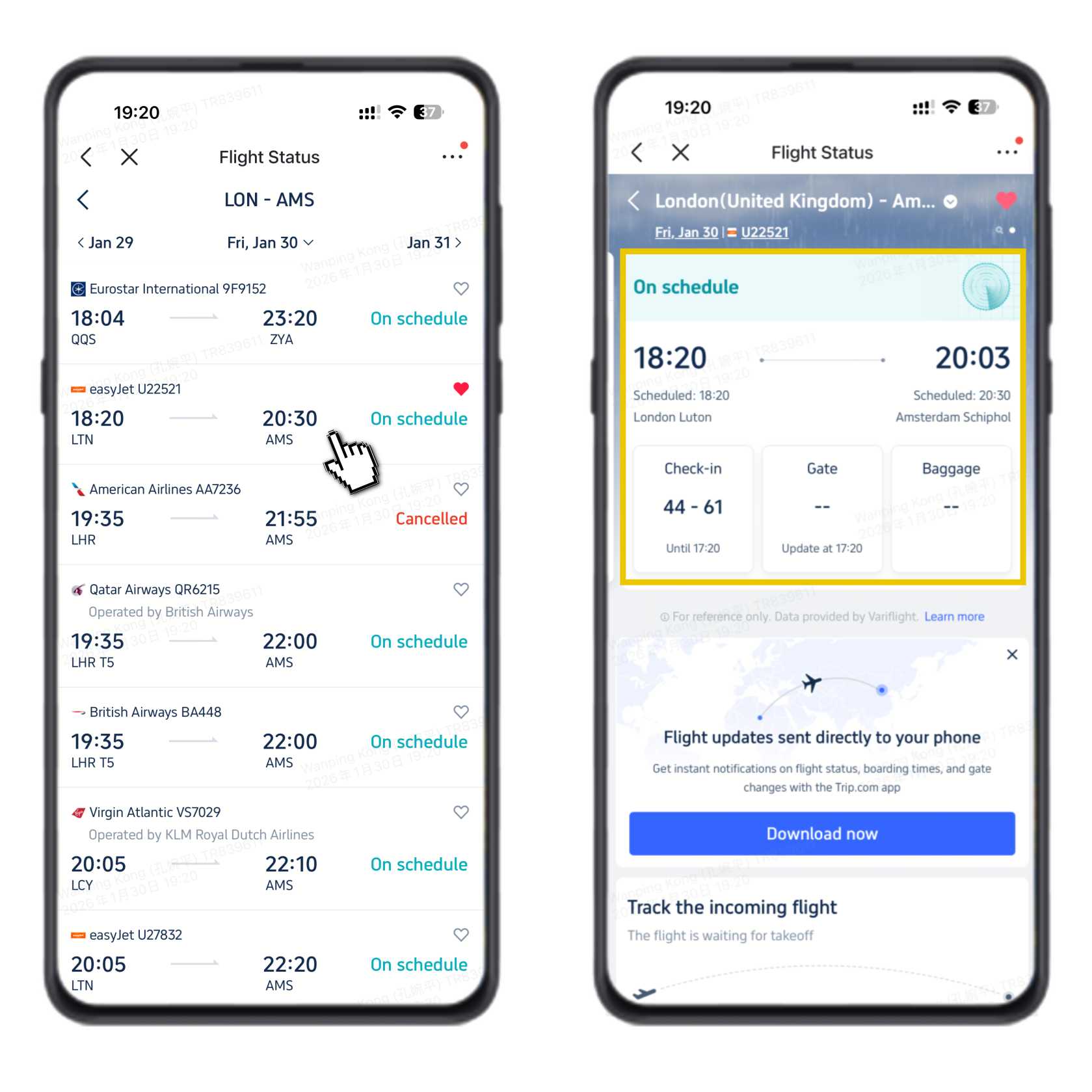
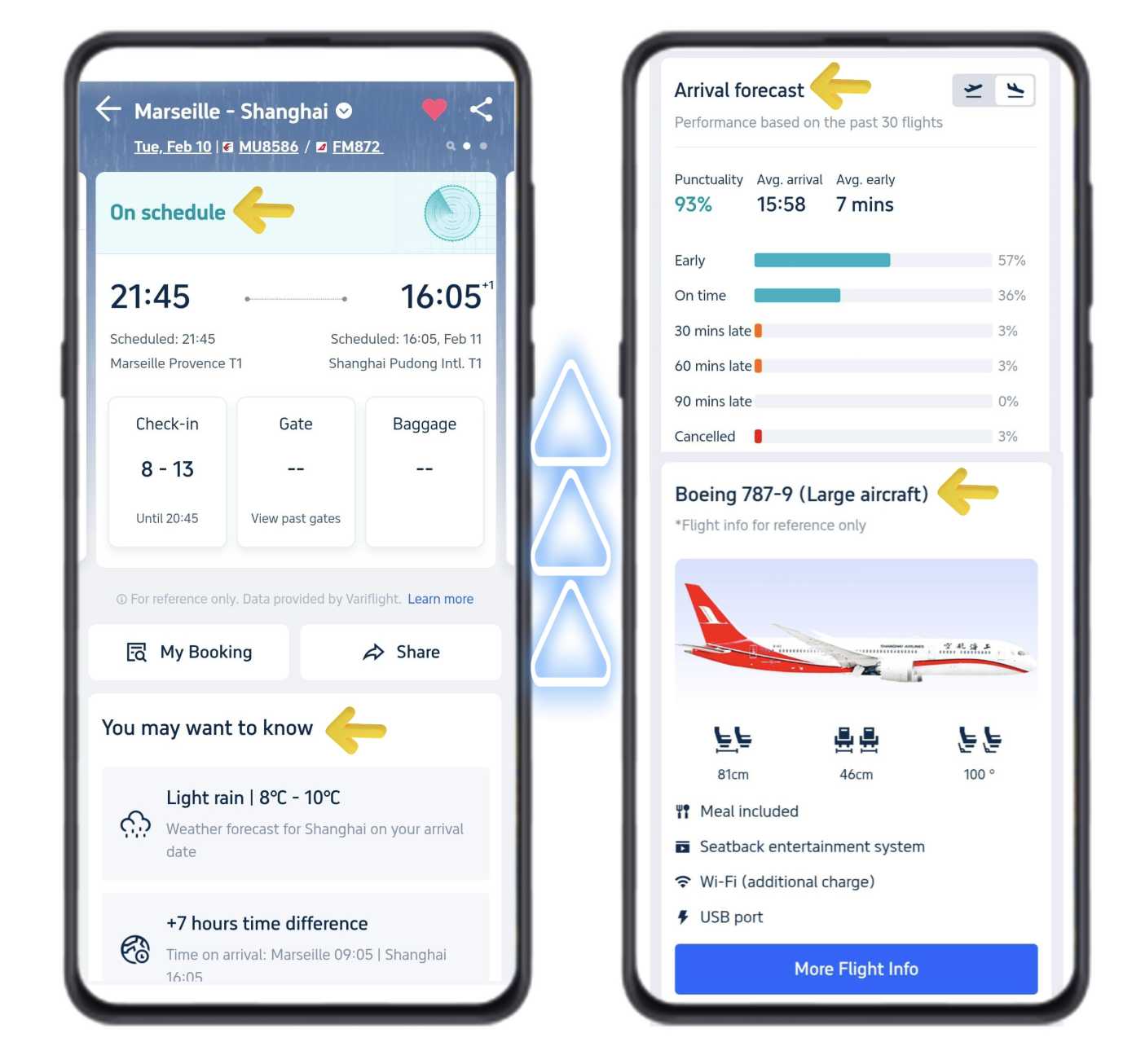
On the main flight status page, you can quickly check the key details of your flight:
- Real-time status: see if your flight is on schedule.
- Departure & arrival times: your planned departure from the origin airport and the estimated arrival at the destination.
- Practical airport info: check-in counter numbers, check-in closing time, and when the gate number will be shown.
Step 3: Swipe Up for More Details
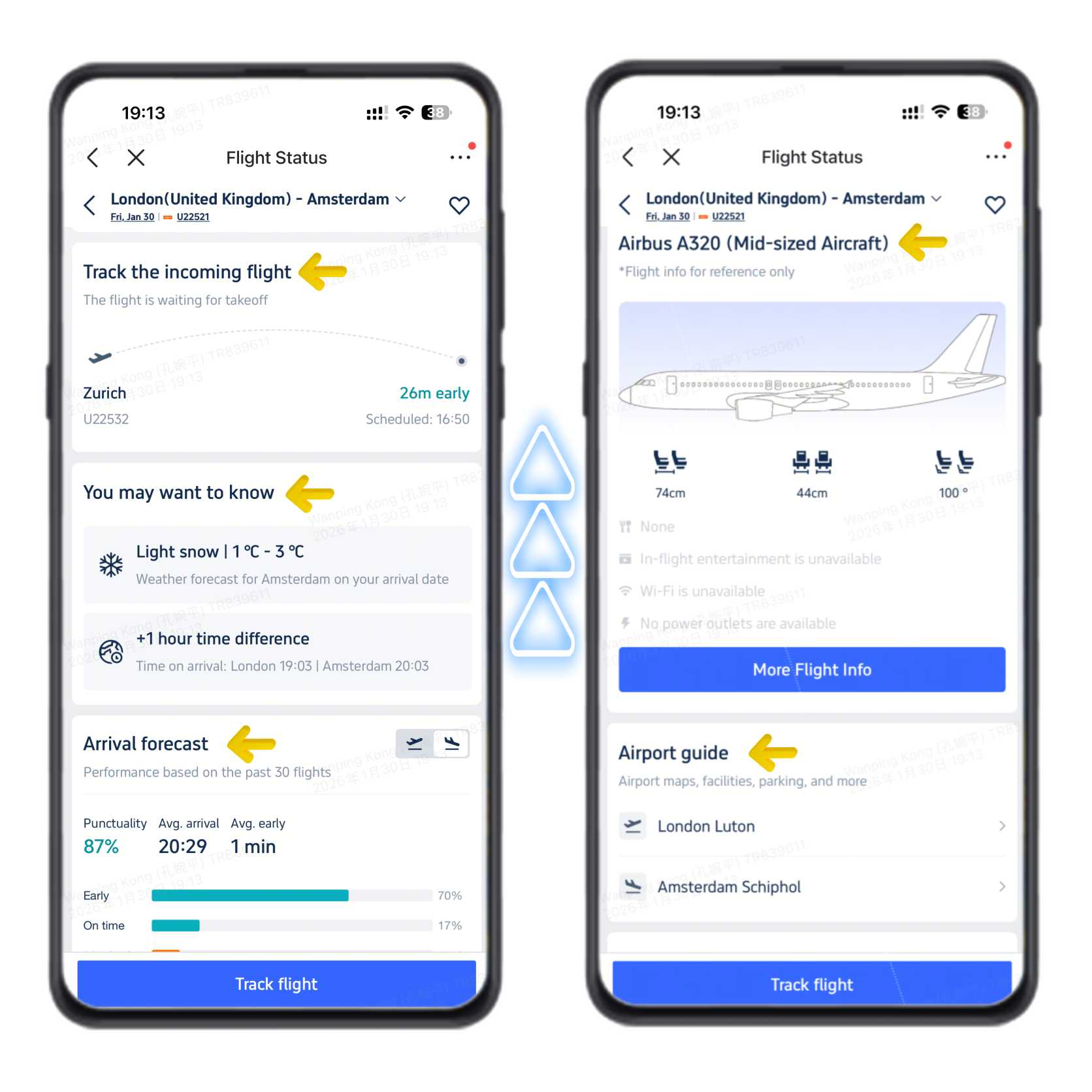
Swipe up to see more helpful information about your flight and arrival:
- Incoming flight tracker: check where your aircraft is and if it's waiting for take-off.
- Travel alerts: weather at your destination and the local time difference.
- Arrival forecast: on-time rate based on recent flights, so you know what to expect.
- Aircraft information: plane type and available services on board.
- Airport guides: quick links to maps and useful info for both airports.
How to Track Flight Status in the Trip.com App?
- Download and open the Trip.com App on your phone. Sign in if needed.
- Tap “Account” in the bottom right corner of the home page.
- Tap “Upcoming”, then choose “Flight Status”.
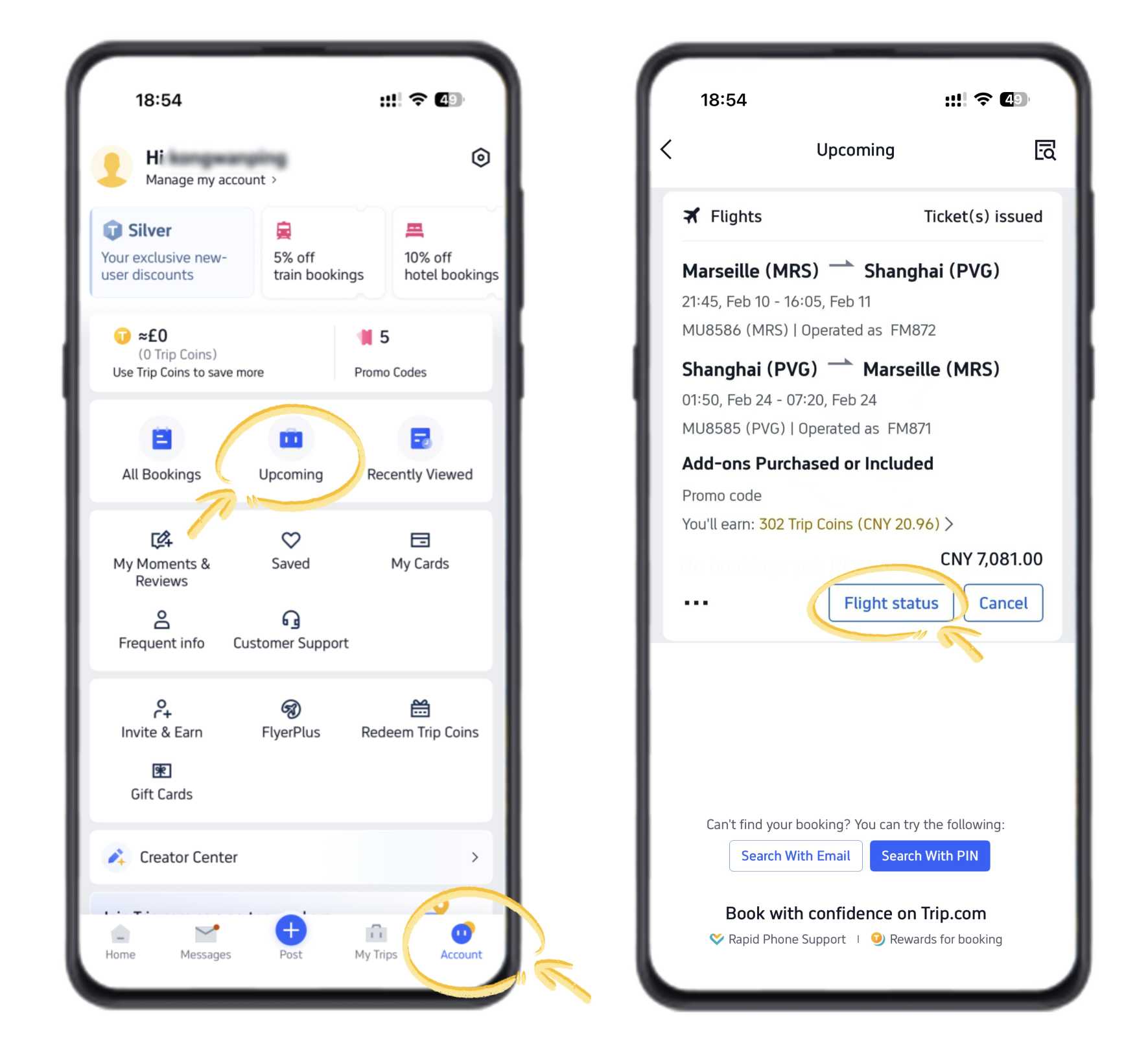
Your flight information is the same as what you see when checking flight status directly on Trip.com, as explained above.
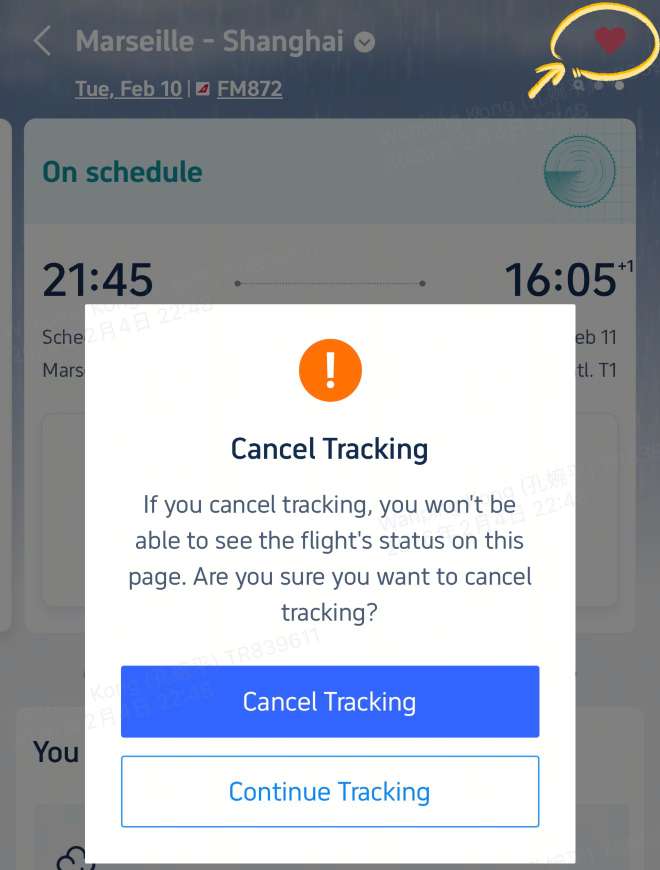
Bonus Tip: Enable Notifications
If you want to hear about any updates to your flight instantly, we recommend turning on notifications in the Trip.com app to receive instant updates about your flight. You'll get alerts for changes like gate assignments, delays, or cancellations, so you're always in the loop.
📸 All images shown above are taken from the Trip.com App.
You can also enjoy better app-only deals and a new user package, with special offers on hotels, trains, attractions, and airport transfers.
How to Track Flight Status on the Trip.com Website?
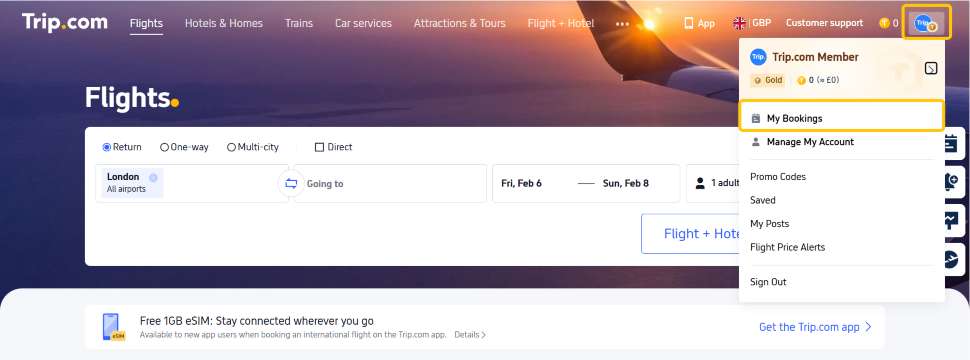
- Go to the Trip.com website and register or log in to your account.
- Click your Profile icon in the top right corner.
- Select "My Bookings" to see your upcoming trips.
- Click the flight you want to track.
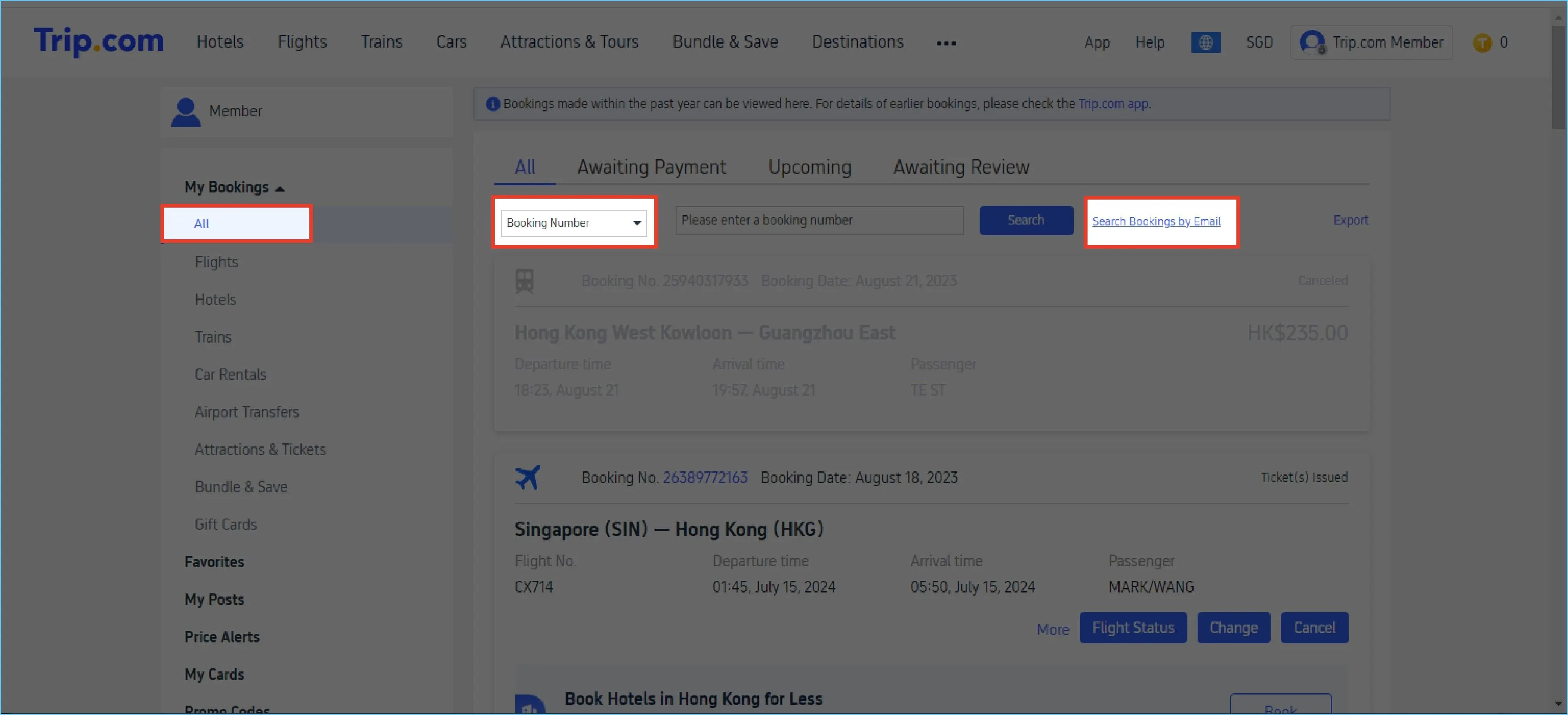
The flight status shown on the website is the same as in the Trip.com App, including real-time status, times, and airport information.
Looking for your next trip? Find and book cheap flights on Trip.com.
Why Use Trip.com to Track Flights?
Trip.com’s flight tracking feature ensures you have the latest information at your fingertips, so you can:
- Avoid surprises or last-minute changes.
- Plan your airport arrival time more effectively.
- Stay informed throughout your journey.
Need Help?
Trip.com Flight Guide
How to Book an Extra Checked Luggage on Trip.com
Book luggage on Trip.com in a few clicks. Learn how to add checked baggage online during or after booking to avoid airport fees. Step-by-step guide.
October 15, 2026
Change a Flight Booking on Trip.com
Plans can change and you might need a Trip.com flight change. Changing on Trip.com is easy.
October 15, 2026
Flight Seat Selection on Trip.com
Trip.com Seat selection doesn't have to be complicated as we offer an easy guide to the process.
October 15, 2026
How to Book, Change & Cancel Flights on Trip.com
Are you looking for a clear guide about booking flights and get your e-tickects? Here, Trip.com offers cheap flight tickets and easy system to make your booking process smoothly.
October 15, 2026
Flight Ticket Issuance Status on Trip.com
This article provides a step-by-step guide to checking the ticket issuance status on Trip.com for your upcoming holiday!
October 15, 2026
Disclaimer: This article has been provided by an individual contributor or third party platform. If there is any discrepancy regarding the copyright, please contact us directly and we will delete the content immediately.