Alipay Not Working in China: Common Problems & How to Fix Them

If Alipay isn't working for you in China, the most likely causes are one of five things: your foreign card was declined, your passport verification failed, your transaction exceeded a payment limit, the app or network is having issues, or the merchant's QR code type doesn't match what you're doing. Most fixes take under 5 minutes. This guide walks through each cause, how to fix it fast, and what to do if you need to pay right now and Alipay still isn't working.
❌ Why Is Alipay Not Working? Common Problems and Quick Fixes

If Alipay fails while you are paying at a checkout counter, use this table to identify the likely cause and find the fastest solution.
What You’re Seeing | Most Likely Cause | Quick Fix |
“Payment failed” or “Card declined” | Foreign card blocked, insufficient card limit, or missing 3D Secure verification | Contact your bank, check your card settings, or try another card |
Passport verification stuck or rejected | Poor photo quality, name mismatch, or expired passport | Retry with better lighting and make sure your name matches your card details exactly |
App won’t load or QR code won’t scan | Weak internet connection, outdated app version, or VPN interference | Turn airplane mode on and off, update the app, or disable your VPN |
“Transaction exceeds limit” | Reached the foreign card transaction limit, daily limit, or annual limit | Split the payment into smaller amounts or use another payment method |
Payment completed but merchant did not receive it | Merchant QR code mismatch or delayed payment confirmation | Wait around 30 seconds, then check your Alipay payment history for the final status |
Account locked | Too many failed verification or payment attempts | Wait 24 hours before trying again, or contact Alipay support |
to Shanghai
to Beijing
to Guangzhou
See all flights


💳 Alipay Payment Failed or Declined: Common Causes & Fixes
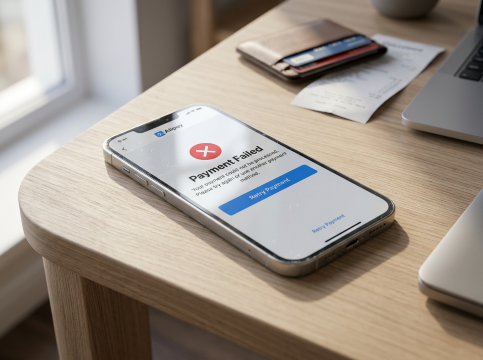
For foreign travellers, a card decline is the most common Alipay payment problem. In most cases, the issue comes from your bank, card settings, or a mismatch between your card details and Alipay, not Alipay itself.
Common causes and solutions:
- Your bank blocked the transaction. Many international banks automatically flag payments in China as unusual, especially the first transaction. Contact your bank to confirm the payment is genuine, then try again. This is one of the most common reasons foreign cards are declined in China.
- Your card does not support 3D Secure verification. Alipay uses 3D Secure (such as Verified by Visa or Mastercard SecureCode) to confirm foreign card payments. If your card issuer does not support this service or it has not been activated, the payment may fail. Contact your bank before travelling to enable this feature.
- The cardholder name does not match your Alipay account. The name on your linked bank card must match the name registered on your Alipay account, which should also match your passport details. Differences such as missing or differently placed middle names can cause payment failures. Update your Alipay card details so they match your passport exactly.
- Insufficient balance or credit limit. Check your available balance or credit limit with your bank. Currency exchange rates can slightly increase the final amount, which may push a payment over your limit.
- Your card type is not supported. Some debit cards, prepaid cards, and business cards may not work with Alipay. Alipay generally supports major card networks such as Visa, Mastercard, JCB, American Express, Discover and Diners Club, but acceptance depends on the card issuer. Try linking another card if needed.
- Your card has expired or is close to expiry. Cards that have already expired, or cards expiring within around 90 days, may be rejected by Alipay.
Quickest way to check the problem
Try making the same payment with WeChat Pay using the same card:
- If WeChat Pay also fails, the problem is likely with your card or bank.
- If WeChat Pay works but Alipay fails, the issue is more likely related to your Alipay account or card setup.
🛂 Alipay Passport Verification Failed: How to Fix Identity Issues
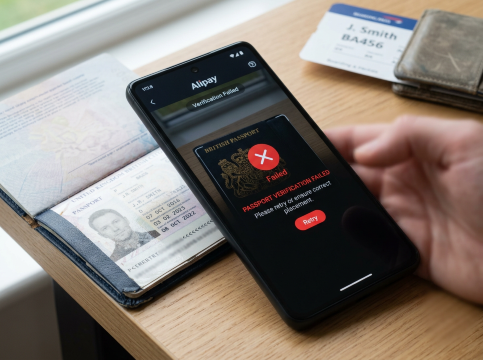
Before you can make most payments, Alipay requires real-name verification using your passport. If verification fails, it is usually caused by one of the following issues.
Common Causes of Alipay Verification Failure
📷 Poor passport photo quality
Blurry images, passport glare, cropped edges, or dark lighting can cause automatic rejection.
Fix: Retake the photo in good natural light, use a plain background, make sure the full passport information page is visible, and avoid any reflections.
📝 Name mismatch between your passport and bank card
The name registered on your linked bank card must match the name shown on your passport.
For example, if your card shows “JOHN Q SMITH” but your passport shows “JOHN QUINCY SMITH”, verification may fail.
Fix: Update your Alipay card details so they match your passport name format exactly.
📅 Passport validity is too short
Passports with less than 6 months’ validity remaining may be rejected by Alipay’s verification system, following the same validity requirement used by many countries for international travel.
Fix: Use a passport with sufficient remaining validity.
🔒 Too many failed verification attempts
After around 3–5 failed attempts, Alipay may temporarily lock the verification process for 24 hours.
Fix: Wait a full day before trying again.
If Alipay Verification Still Fails
- Use Alipay Tour Card instead. For short-term visitors, Alipay Tour Card provides a prepaid virtual card option issued through an Alipay mini-program by the Bank of Shanghai, allowing users to add funds and make payments without completing full identity verification. You can top up up to ¥10,000 (around £1,100) in total using a foreign bank card and pay directly from your balance.
- Contact Alipay support. If the problem continues, open the Alipay app → Help Centre and request a manual review of your verification issue.
📲 How to Set Up Alipay as a Foreigner in China
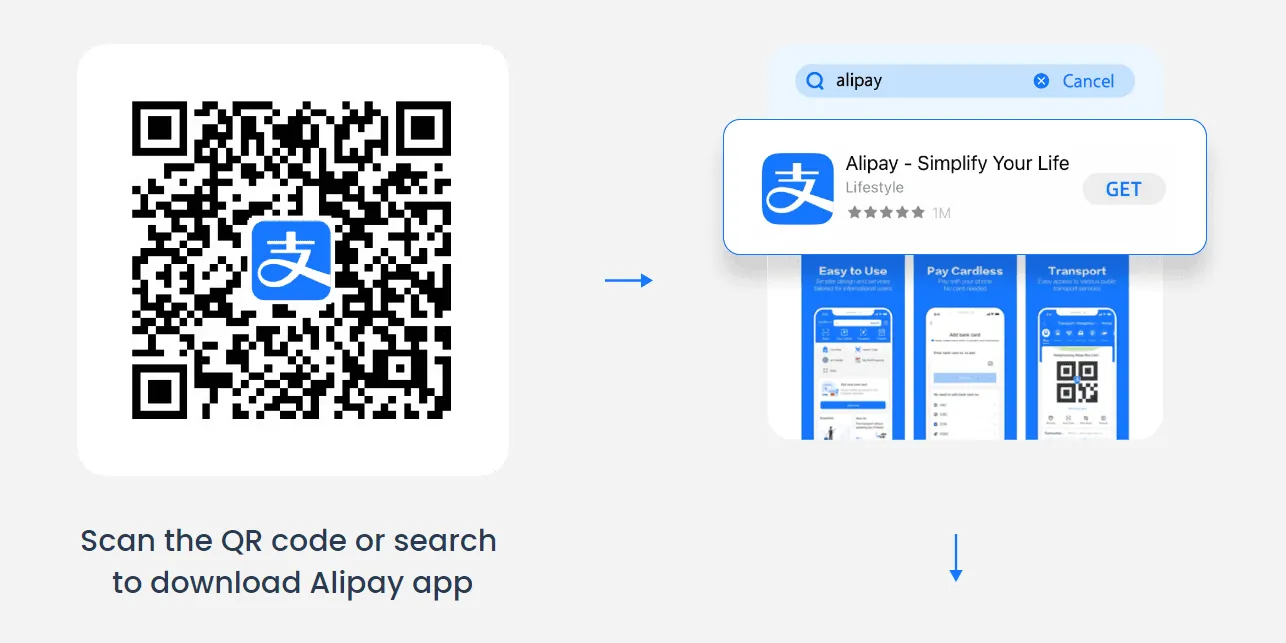
1. Download the App
- iOS: Search “Alipay” on the App Store.
- Android: Find it on Google Play or Huawei AppGallery.
Pro Tip: Download before arriving in China to avoid connectivity issues.
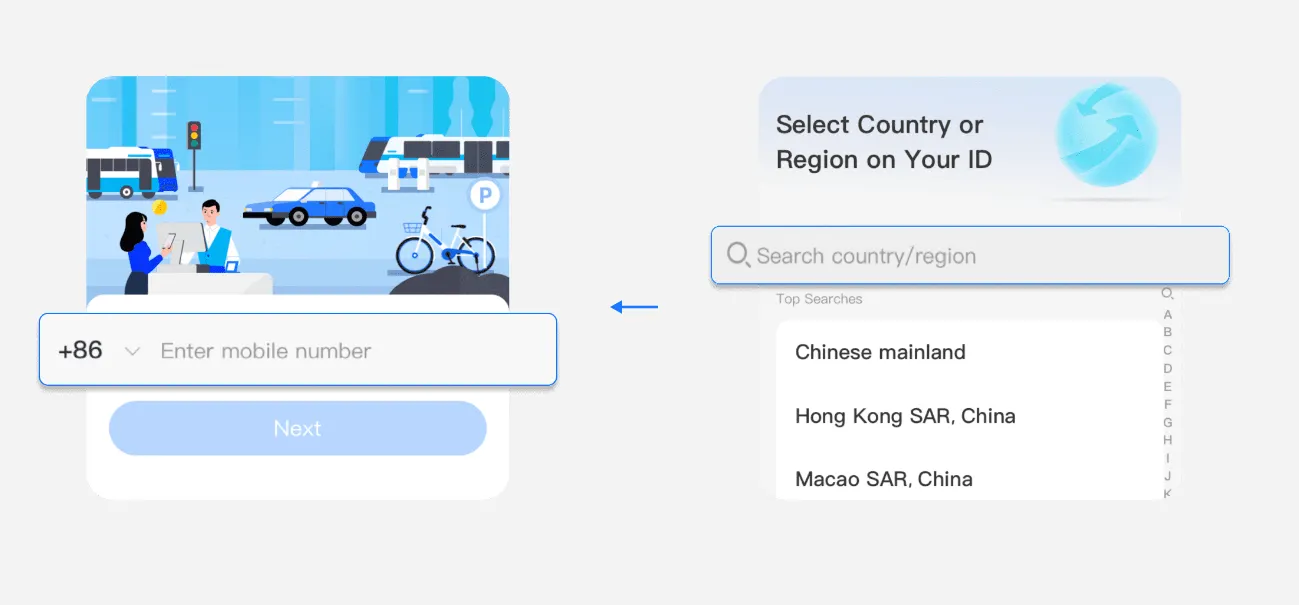
2. Register Your Account
- Open the app, tap “Sign Up,” and enter your international phone number (ensure it works in China for SMS verification).
- Select your country and follow prompts to verify your number.
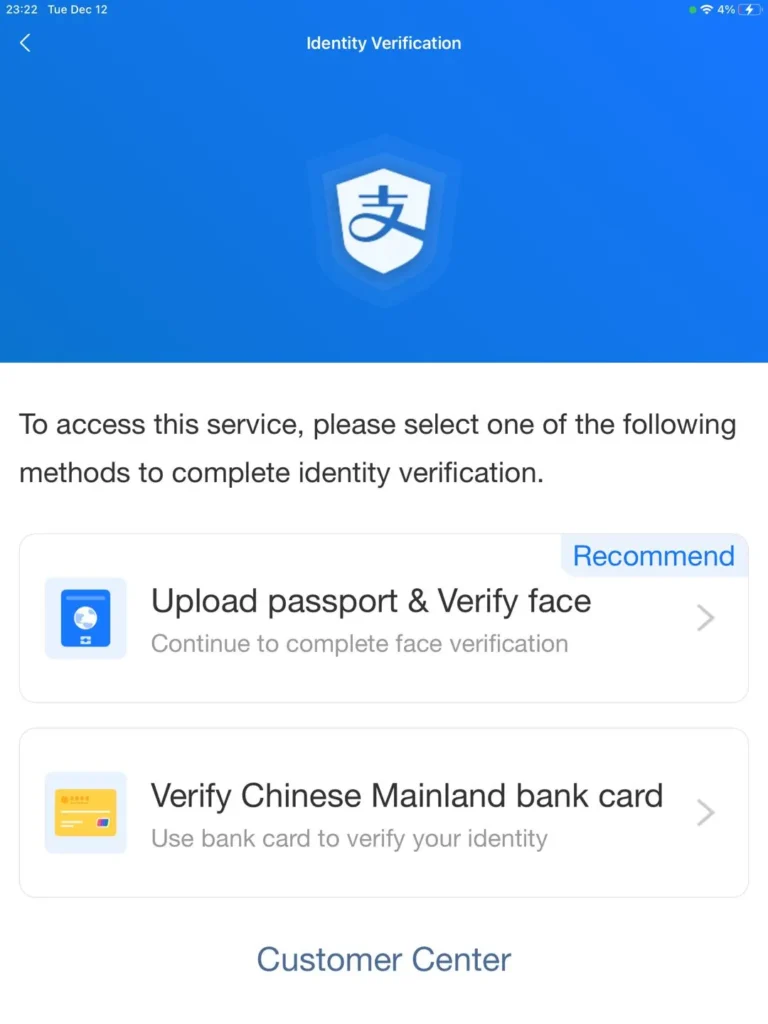
3. Complete Identity Verification
- Go to Me > Settings > Account & Security > Identity Verification > Upload passport & Verify face.
- Upload a photo of your passport and fill in personal details. This step is mandatory for higher transaction limits.
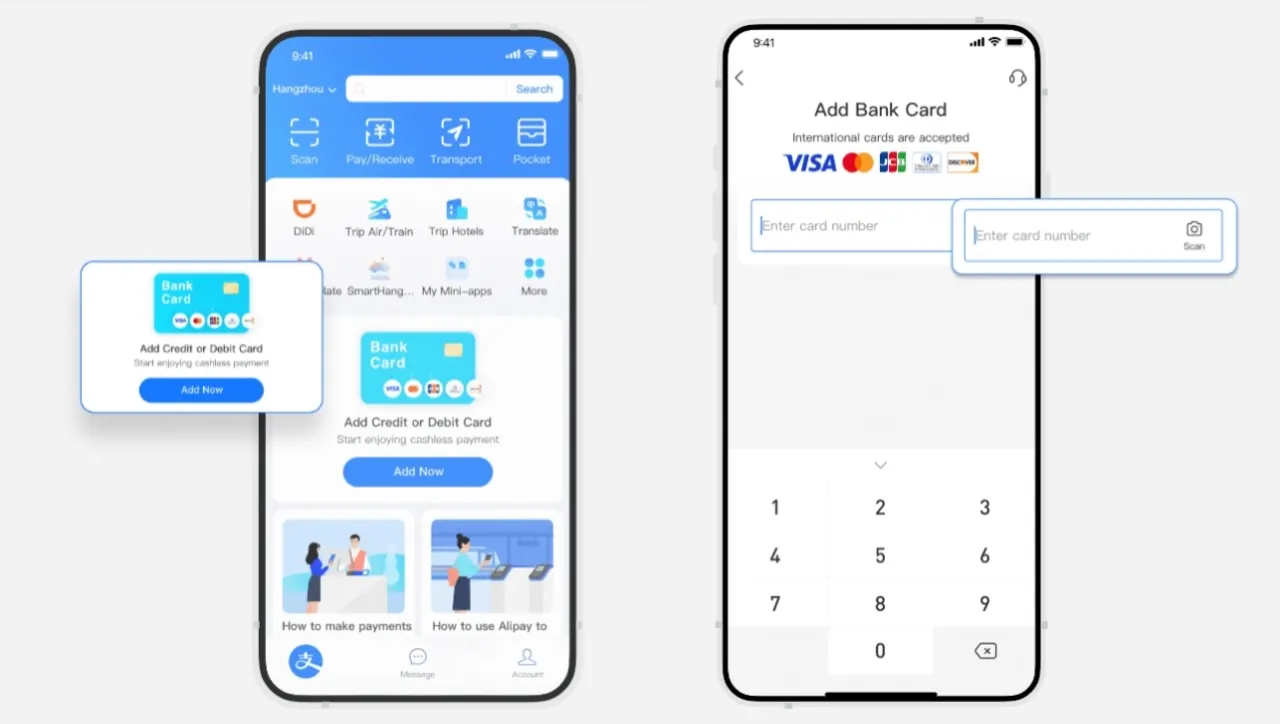
4. Link Your International Card
- Tap “Bank Cards” under the Me tab.
- Add your Visa, Mastercard, JCB, Discover or Diners Club card. Alipay now supports most major foreign cards.
- Confirmed through your bank's identity verification process (for example, OTP text).

Eligible international cards
5. Add Funds (Optional)
- While you can pay directly via your linked card, top up your Alipay balance using services like TourPass (prepaid digital wallet) for broader acceptance.
Best eSIM plans for China
See all attractions
 2090487 booked







📶 Alipay App Won’t Load or QR Code Won’t Scan: Network and App Fixes
Sometimes Alipay itself is working normally, but network issues, app problems, or QR code scanning errors can stop your payment from going through.
📱 If the Alipay app won’t load or gets stuck
Try these quick fixes:
- Update Alipay to the latest version
Alipay releases updates regularly, and older versions may lose certain functions or have compatibility issues. - Turn Airplane Mode on and off
Switch Airplane Mode on for around 10 seconds, then turn it off again. This refreshes your mobile connection and can fix many “network unavailable” errors. - Switch between Wi-Fi and mobile data
Some public Wi-Fi networks in China may affect Alipay connections. Mobile data is often more reliable for payments. - Disable your VPN
A VPN connecting through servers outside China may trigger Alipay’s security checks and prevent payments from working properly. - Restart your phone
A simple restart can often resolve temporary app or connection problems.
📷 If the Alipay QR code won’t scan
Check the following:
- Make sure you are using the correct QR code method
Alipay has two types of QR payments:
If you scan or show the wrong type of QR code, the payment may not work. - Merchant scans your QR code: Open “Pay/Collect” and show your payment code to the cashier. This is common for small everyday payments.
- You scan the merchant’s QR code: Used for some larger payments or bill payments.
- Clean your phone camera lens
A dirty lens can prevent QR codes from being recognised. - Increase your screen brightness
If the merchant is scanning your payment code, a brighter screen can help the scanner read it more easily. - Ask the merchant to try again
Some payment terminals or scanners may temporarily freeze and need a quick reset.
🌐 Mobile Data Tips for Foreign Travellers
- Alipay works with all major Chinese mobile networks, including:
- China Mobile
- China Unicom
- China Telecom
- International eSIMs and roaming plans generally work with Alipay, as payment services are not blocked by China’s internet restrictions.
- Airport and shopping centre Wi-Fi is usually available but can sometimes be slow.
If a payment takes too long or fails to load, switch to mobile data and try again.
🏨 China Hotel Deals & Recommendations
Beijing
Shanghai
Guangzhou
Shenzhen
Chengdu
Chongqing
Xi'an
Hangzhou
See All Hotels

































































💰 Alipay Payment Limits: Why Was My Transaction Blocked?
Foreign travellers often encounter Alipay payment limits, especially when paying for hotels, tours, or high-value purchases. Limits vary depending on your verification status and whether you have completed passport verification.
Standard limits for foreign card users (as of 2026, subject to change):
Unverified accounts (only linked to an overseas bank card without passport verification):
- Single transaction limit: Up to $500 USD (around £375)
- Annual cumulative limit: Up to $2,000 USD (around £1,500)
Verified accounts (passport uploaded and identity verification completed):
- Single transaction limit: Up to $5,000 USD (around ¥35,000/£3,750)
- Annual cumulative limit: Up to $50,000 USD (around ¥350,000/£37,500)
Monthly spending limit: The maximum combined spending allowed in a single calendar month is ¥100,000 (around $13,700 USD/£11,100).
Service fees:
- Transactions under ¥200: No service fee
- Transactions of ¥200 or above: A 3% platform service fee applies
Alipay Tour Card limits:
- Top-up limit: Up to ¥10,000 (around £1,100) in total per card over the validity period. Each top-up requires a minimum amount of ¥100 (about £11).
- Validity period: 180 days from the date the card is issued.
- Unused balance: Any remaining balance will be automatically refunded to the original payment method after expiry.
- Service fee: A 5% service fee applies to each top-up.
If you hit a payment limit:
- Split the payment into smaller transactions if the merchant allows it
- Pay part of the amount through Alipay and the rest with cash or another card
- Use another payment method (WeChat Pay has separate limits, so you may still have available balance there)
- For large hotel or tour payments, consider booking through a platform that accepts foreign cards directly instead of paying at check-in
Check your current payment limit status:
- Open Alipay, tap “Me”, then go to “Balance” or “Settings”
- Look for “Payment Limits” or “Transaction Limits”
- The exact wording may vary depending on your Alipay app version
[5% Off] China Train Ticket Discount for New Users
24/7 Ticketing · 3-Minute Booking · E-Tickets
🚨 What to Do If Alipay Is Not Working: Alternative Payment Options

If Alipay isn't working and you need to pay right now, you have several backup options. Not all merchants accept all payment methods.
Cash (still widely accepted). China is more cashless than most countries but cash is legal tender everywhere and refusing it is technically illegal. Hotels, taxis, restaurants, and most physical shops accept cash without issue. Small street vendors and mobile only merchants may refuse cash in practice. Withdraw RMB from major bank ATMs (Bank of China, ICBC, CCB) using your foreign card.
Foreign credit cards. Accepted at:
- International hotel chains (Marriott, Hilton, Hyatt, and similar)
- High end restaurants and shopping malls
- Major department stores and duty free shops
- Some larger tourist attractions
Not accepted at:
- Small local restaurants and shops
- Taxis (with rare exceptions)
- Street food and market vendors
- Metro and bus fare gates
WeChat Pay. Set up before or alongside Alipay. WeChat Pay uses its own payment limits and card processing, so if Alipay is blocked, WeChat Pay may still work with the same card. Coverage and fixes are broadly similar to Alipay.
Ask the hotel front desk for help. International hotel staff can usually pay for taxis, tours, or small purchases with their own account and add it to your room charge. This is a common workaround for guests whose payment apps are failing.
Transit ticket counters accept cash and foreign cards. Metro stations in Beijing, Shanghai, Guangzhou, Shenzhen, and other major cities have staffed ticket counters or self-service kiosks that accept cash. Some also accept foreign credit cards.
Bank branches for currency exchange. All major Chinese bank branches exchange foreign currency for RMB. Bring your passport. Bank of China and ICBC have the widest branch network and English speaking staff at major locations.
📞 How to Contact Alipay Support as a Foreign User
Alipay has English language support but it can be slow. Set expectations realistically.
- In app chat. Open Alipay, tap "Me" then "Customer Service." Chat support is available 24 hours and includes English. Response time can range from a few minutes to a few hours during peak periods.
- International hotline. +86 571 9688 8888 for foreign users. Long wait times common. Have your Alipay account details and passport information ready before calling.
- What Alipay support can fix: Verification issues, account locks, unbinding cards, refund requests for failed transactions.
- What Alipay support cannot fix: Bank blocked transactions (contact your bank), payments over your card's transaction limit (contact your bank), 3D Secure setup on your card (contact your bank), incorrect merchant charges (contact the merchant).
Contact your card issuer's international support line first if the error message mentions the card or bank. Alipay cannot override a bank's decision to decline a transaction.
❓ FAQ – Alipay Not Working in China
-
Why is my Alipay not working in China?
-
Why is my foreign card not working on Alipay?
-
Why did my Alipay passport verification fail?
-
Why does my Alipay say "payment declined"?
-
Can you still pay in China without Alipay?
🧩 More Travel Guides
Best China eSIM (with VPN) from £0.44
Find the best China eSIM plans, compare providers, learn how eSIM works, where to buy, setup steps, traveller reviews, FAQs, and tips for using eSIM in China.
October 23, 2026
How to Pay in China as a Foreigner: Alipay, WeChat, Cash & Card
Learn how to pay in China as a foreign tourist using Alipay, WeChat Pay, bank cards, or cash. Simple tips for easy payments while travelling.
October 23, 2026
Top Things to do in China: Best Activities & Must-Sees
Discover the best things to do in China: top activities, vibrant neighbourhoods, local culture, and must-see attractions to make the most of your stay.
October 23, 2026
How to Book Hotels in China as a Foreigner: Step-by-Step Guide
Learn how to book hotels in China with Trip.com. Step-by-step guide, payment tips, popular hotels, and practical advice for foreign travellers.
October 23, 2026
Best Cities to Visit in China: Top Places to Explore
Discover the best cities to visit in China, from iconic destinations to hidden gems. Plan your itinerary with tips, travel ideas and must-see places.
October 23, 2026
How to Use Alipay in China as a Foreign Tourist?
The most popular payment method in China now is mobile payment, such as Alipay, WeChat Pay, etc. Today, we will learn how to use Alipay to pay like a local!
October 23, 2026
Is It Safe to Use Alipay? A Complete Guide for Tourists
Learn how to use Alipay in China as a tourist. QR payments, identity verification, safety tips, and mobile setup made simple.
October 23, 2026
Alipay in Hong Kong: How It Works, AlipayHK Differences & Where to Pay
Learn how Alipay works in Hong Kong, including AlipayHK vs Alipay, where to use it, supported cards, fees, and transport payments.
October 23, 2026
Can You Use Alipay in Taiwan? A Complete Guide for Travellers
Can you use Alipay in Taiwan? Where it works, where it doesn't, and which payment methods locals actually use. A complete guide for travellers.
October 23, 2026
Can You Use Alipay in Japan? A Complete Guide for Travellers
Can you use Alipay in Japan? Where it works, where it doesn't, and which payment methods locals actually use. A complete guide for travellers.
October 23, 2026
Alipay or WeChat Pay: Which is better to pay in China?
Compare Alipay and WeChat Pay for travel in China. Learn how to pay with QR codes, link foreign cards, use public transport, and shop without cash.
October 23, 2026
Disclaimer: This article has been provided by an individual contributor or third party platform. If there is any discrepancy regarding the copyright, please contact us directly and we will delete the content immediately.